Email Marketing for Small Business Owners: How to Build a List That Buys
When you’re new to running an online business and start digging into email marketing for small business owners, it can seem pretty complicated.
There are so many platforms to choose from, and then you start hearing about automated campaigns, sales funnels, open rates, and all kinds of marketing strategies. Before long, you’re wondering how much of this stuff you actually need to learn.
The fact of the matter is, email marketing is a way to keep in touch with people who are interested in what you’re selling. Whether you’re offering a service, selling handmade products, or creating digital products around something you know, you need a way to reach potential customers after they leave your website.
I spent years working in hospitality management, and one thing I learned early on was how valuable repeat customers are. Restaurants and hotels depend on people coming back, recommending them to friends, and choosing them over the competition. Those relationships are a big part of what keeps a business going.
The same idea applies when you’re building an online business. You want people to get to know you, understand what you offer, and remember you when they’re ready to buy. Email marketing gives you a way to make that happen, and getting started is probably easier than you think.
Why Does Your Small Business Need an Email List?
Think about what happens when someone visits your website. They might read a blog post, look at one of your products, or spend a few minutes checking out your services. Then they leave, and you have no idea whether you’ll ever see them again.
Maybe they’ll remember your website and come back, but I certainly wouldn’t build a business around hoping that happens.
When someone joins your email list, you have a way to stay in contact with them. You can share helpful information, introduce your products or services, and give them a reason to return to your website.
I’ve always believed that your website should be the center of your online business. Whether you’re using Pinterest, YouTube, Facebook, Google, or another source to attract visitors, you want those people to eventually land on your own website, where they can find out more about what you offer.
Here’s how that process works:
- Someone finds your website through search, social media, or a recommendation.
- They read your content or look at something you’re selling.
- You offer them a useful free resource in exchange for signing up for your emails.
- You stay in touch by sharing information related to their interests.
- When they’re ready to buy, they already know who you are and where to find you.
Obviously, not everyone who subscribes is going to become a customer. Some people will download your free offer and never open another email. Others might read your newsletters for months before deciding to purchase something.
That’s why I think it’s important to start building your list early, even when your website doesn’t get much traffic. You’re giving yourself an opportunity to develop relationships with the people who do find you.
| What You Need | What It Does |
|---|---|
| Your website | Gives people a place to find your content, products, and services |
| An email list | Lets you stay in contact after visitors leave |
| A free resource | Gives people a reason to subscribe |
| Welcome emails | Introduce your business and deliver your free offer |
| Regular newsletters | Keep subscribers informed and interested |
| Product or service offers | Give subscribers opportunities to become customers |
You can add more to this system as your business grows, but these are the basic pieces I’d concentrate on first.
Why Is an Email List Important if You Already Have Social Media Followers?
If you’ve been spending time trying to grow your social media following, you already know how frustrating it can be. You create content, put effort into building an audience, and then discover that only a small percentage of your followers are actually seeing what you publish.
Social media platforms control how their content is distributed, and their algorithms change regularly. You could have thousands of followers and still struggle to get people to visit your website.
With email marketing, you’re communicating directly with people who have signed up to hear from you. You also have the ability to export your subscriber list and move to another email service if necessary, subject to applicable privacy and consent requirements.
There’s a financial reason businesses continue to use email marketing, too. According to research published by Litmus in 2018, businesses reported an average return of $38 for every dollar spent on email marketing.
Now, that’s an older industry figure based on established email marketing programs, and I wouldn’t expect those kinds of returns when you’re starting with a handful of subscribers. Your results will depend on your audience, what you’re selling, and how effectively you communicate with them.
But consider what happens when you create a new product or service. If you’ve been building an email list, you already have a group of people who have expressed an interest in your business. You can send them an email explaining what you’ve created and how it might help them.
And if they’re interested, they can go directly to your website to purchase it.
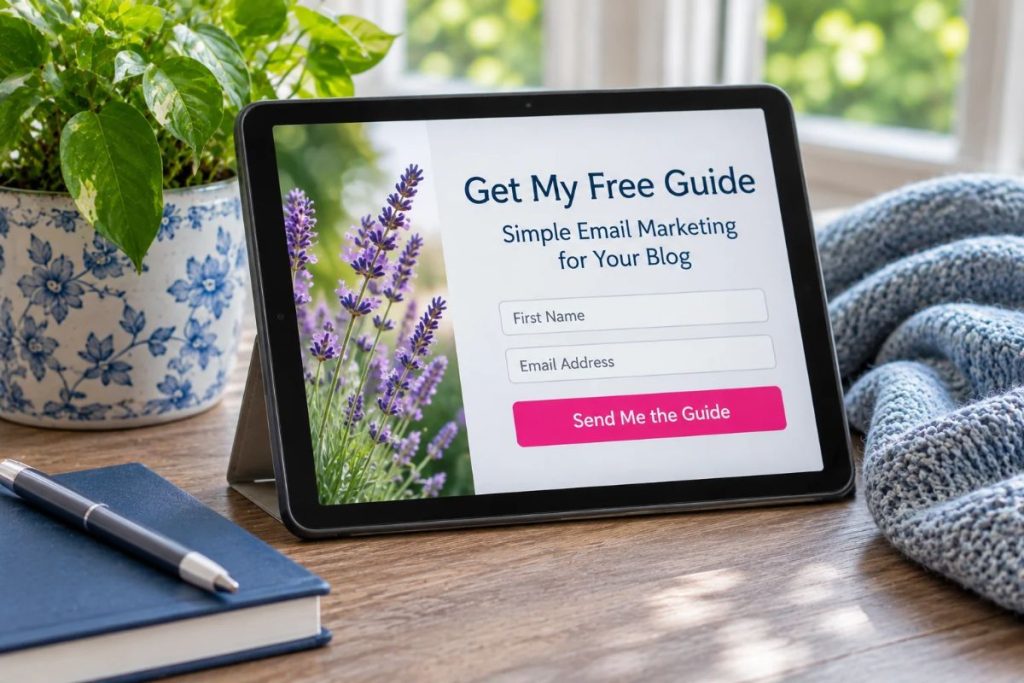
How Do You Get People to Sign Up for Your Email List?
One of the biggest mistakes I see beginners make is adding a little form to their website that says “Subscribe to My Newsletter” and expecting people to sign up.
Think about how many emails you already receive every day. Would you give a business your email address simply because they offered to send you more emails? I know I wouldn’t, unless I had a pretty good reason.
People need to know what they’re getting and why it’s worth giving you their email address.
That’s where a lead magnet comes in. It’s simply something useful you offer for free in exchange for someone joining your email list.
And please don’t think you need to spend weeks creating some massive ebook. In many cases, something short and specific can be more appealing because people can use it right away.
Here are a few examples:
- A printable checklist that helps someone complete a specific task
- A short guide that answers a common question
- A worksheet or template they can use immediately
- A discount on their first purchase
- A resource list that saves them time researching
Let’s say you make and sell handmade quilts. You could create a printable care guide explaining how to wash, dry, and store them properly. Someone interested in purchasing one of your quilts might find that information useful.
Or maybe you’re a bookkeeper working with small business owners. A monthly expense checklist could be an excellent free resource because it’s directly related to a problem your potential customers are dealing with.
The important thing is choosing something your audience actually wants. I’ve written more about creating a lead magnet people want to download, including how to figure out what your readers need before spending time making one.
I’ve also found that a short workbook can be useful for building an email list. People can fill it out, save it, and use the information without having to work through dozens of pages.
Here’s my free app below that can help you create beautiful, branded PDFs from PLR or even a file on your computer. This takes your document and creates branded PDFs to help build your list.
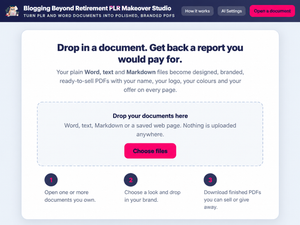
FREE TOOL
Give Your PLR Content a Fresh New Look
Use the free PLR Makeover Studio to turn plain PLR and Word documents into cleaner, branded PDFs you can share, give away, or sell.
Where Should You Put Your Email Sign-Up Forms?
Start with the pages people are already visiting. Your homepage is an obvious place, but I would also consider adding relevant sign-up forms to your blog posts, About page, and other pages where visitors are likely to be interested in your offer.
For example, if someone is reading an article about organizing their household expenses, a printable budget worksheet would fit naturally into that article. They’re already interested in the subject, so the free resource makes sense.
You can also create a landing page for your offer. This is a separate page that explains what someone will receive and gives them a form to sign up.
Keep the page straightforward. Explain what the freebie is, who it’s for, and what the person will be able to do with it.
A button that says “Get the Free Budget Worksheet” tells people exactly what they’re getting. That’s much clearer than a generic invitation to subscribe.
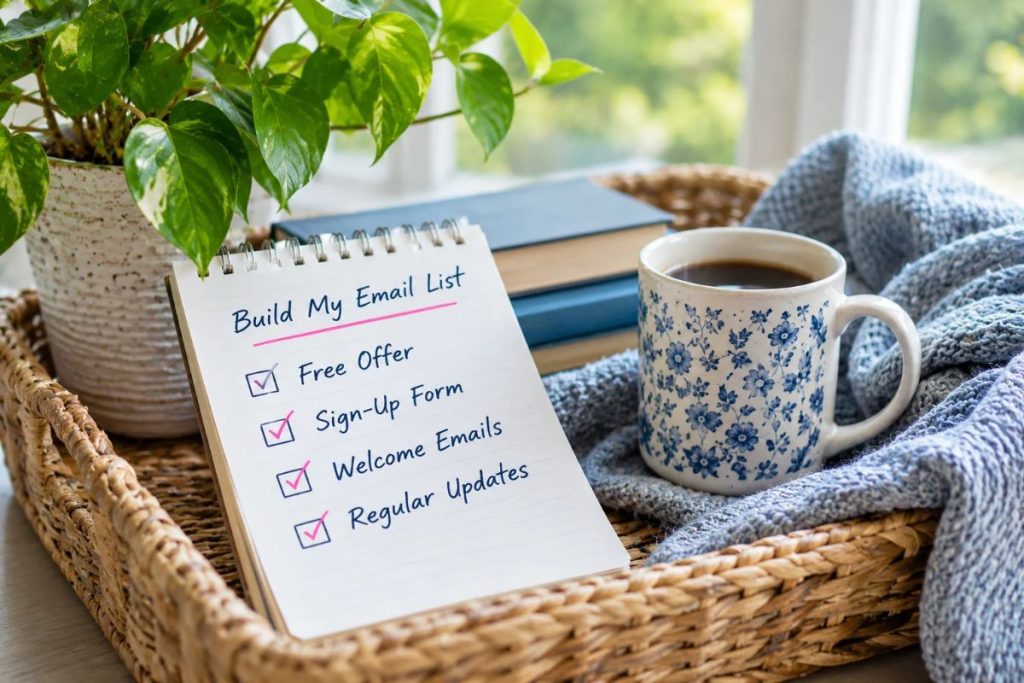
What if Your Website Doesn’t Get Much Traffic?
This is something I understand because getting traffic to a newer website can be a struggle. You might have some good articles published and a free offer ready to go, but if people aren’t finding your website, you’re probably not getting many subscribers either.
You can still build an email list when you have zero traffic by sharing your free resource in places where your potential customers already spend time.
That might be Pinterest, a relevant Facebook group that allows you to share resources, or an online community where people ask questions related to your topic.
You can also invite existing customers to join your list, provided they choose to sign up and you follow the applicable email marketing rules.
And one thing I would never recommend is buying an email list. Those people haven’t asked to hear from you, and emailing strangers who have no interest in your business isn’t a particularly good way to build customer relationships.
Which Email Marketing Platform Should You Choose?
There are a ton of email marketing platforms available, and comparing them can become a project all by itself. You’ll come across Mailchimp, Brevo, Kit, AWeber, Constant Contact, ActiveCampaign, GetResponse, and plenty of others.
Most of these services provide the basic tools you need to collect email addresses, organize subscribers, create newsletters, and send automated messages.
I use Kianis, which is built on HighLevel. I like having my landing pages, email marketing, automations, customer information, and checkout pages together because I don’t have to keep connecting different programs to make everything work.
But I also understand that somebody starting a small business might not need all those features right away.
If you’re starting with a simple website and your main goal is building an email list, look for a platform that handles the basics without making things unnecessarily complicated.
Here’s what I’d pay attention to:
| Feature | Why You Need It |
|---|---|
| Sign-up forms | Collects email addresses from your website |
| Landing pages | Gives you a dedicated page for promoting your free resource |
| Automated emails | Sends welcome messages when someone subscribes |
| Email templates | Makes creating newsletters easier |
| Subscriber tags | Helps you organize people by their interests |
| Reporting | Shows which emails people open and click |
| Pricing | Determines what you’ll pay as your list grows |
Be sure to look at the pricing beyond any introductory or free plan. Some services limit how many subscribers you can have, how many emails you can send, or which automation features you can use.
I wouldn’t spend weeks comparing every available platform, though. Choose one that fits your current needs and budget, learn how to use it, and get your first sign-up form working.
What Should Happen After Someone Joins Your Email List?
Let’s say someone visits your website, downloads your free checklist, and joins your email list. They receive the download link, save the file, and go on with their day.
If you never contact them again, there’s a pretty good chance they’re going to forget about you.
Then imagine sending them a promotional email three months later. They might not even remember signing up, especially if they’ve downloaded other free resources during that time.
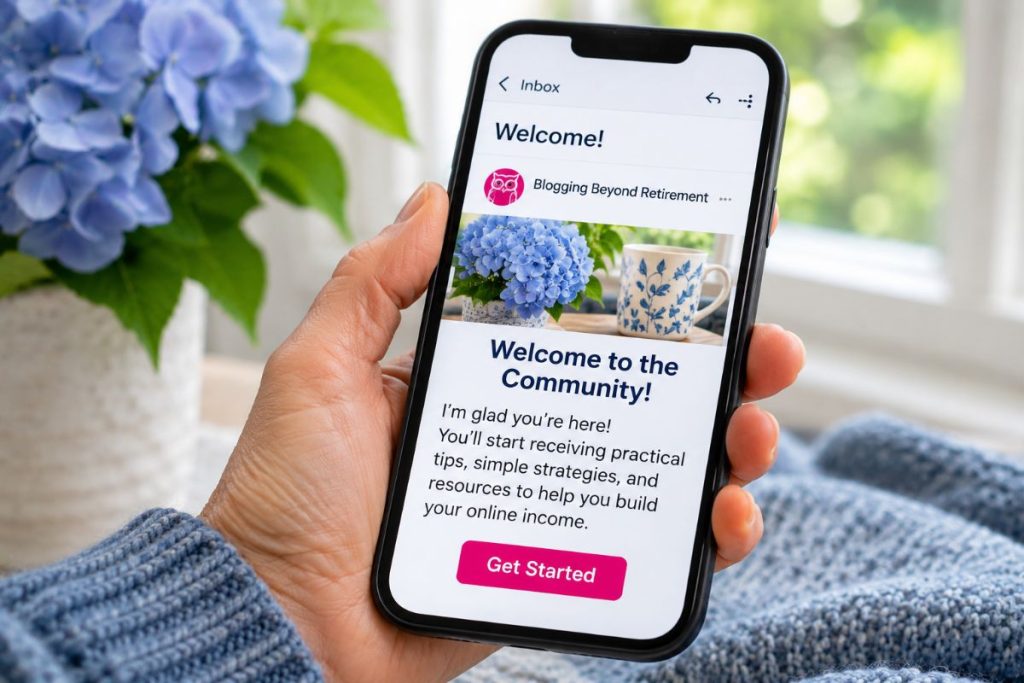
This is why I recommend setting up a welcome email sequence when you’re getting started.
Email automation sounds technical, but the idea is pretty straightforward. You write a series of emails ahead of time, set up when each one should be sent, and your email platform handles the delivery whenever somebody subscribes.
You could set up a sequence like this:
| What to Send | |
|---|---|
| Welcome email | Thank them for subscribing and deliver their free resource |
| Follow-up email | Share a useful tip related to what they downloaded |
| Introduction | Tell them about your business and what you offer |
| Helpful resource | Send them to a relevant article or resource on your website |
| Product introduction | Explain how one of your products or services could help them |
You can space these messages a couple of days apart so subscribers have time to read them.
I also like the idea of inviting people to reply to an email with a question. When someone tells you what they’re struggling with, you’re getting information directly from the people you’re trying to help.
Those questions can give you ideas for future articles, free resources, and even products you might want to create.
You’ll hear people refer to automated sequences as drip campaigns, autoresponders, or lead nurturing. They’re different terms you’ll encounter when learning email marketing, but you don’t need to get caught up in the terminology to set up a few useful follow-up emails.
What Should You Send in Your Regular Email Newsletters?
Once your welcome sequence is working, you’ll need to decide what to send your subscribers on a regular basis.
This is another area where beginners can get overwhelmed. They worry about how long their emails should be, whether they need graphics, what kind of template to use, and how often they should send something.
Personally, I prefer emails that sound like a real person wrote them. When I subscribe to somebody’s list, I want useful information related to why I signed up in the first place.
You can share something you’ve learned, answer a question you keep hearing, talk about a problem your customers are having, or send people to an article you’ve published on your website.
And yes, you can promote your products and services. You’re running a business, and your subscribers signed up because they’re interested in what you have to offer.
The important thing is making sure your emails are relevant to the people receiving them.
How Often Should You Email Your Subscribers?
I think weekly is a reasonable place to start if you have enough information to share. Every other week can work, too, especially when you’re managing everything yourself.
Choose a schedule you can realistically maintain because there’s always something else that needs your attention when you’re running an online business.
I wouldn’t recommend sending several emails one week and then disappearing for months. People subscribe to plenty of newsletters, and if they haven’t heard from you in a long time, they may have forgotten who you are.
You want subscribers to recognize your business when an email arrives and have some idea of what they can expect from you.
How Do You Get People to Open Your Emails?
Your subject line is important because it’s one of the first things subscribers see in their inbox.
I’ve received plenty of emails with subject lines making huge promises, only to open them and find very little useful information. After a while, you start ignoring emails from those senders because you know what to expect.
If your email is about choosing a blog topic, a subject line like “Having Trouble Choosing Your Blog Topic?” tells readers what you’re going to discuss.
f you’re sharing a checklist or answering a question, make sure your subject line tells people what to expect. Spend a little time studying how to write email subject lines that get opened so you can help get more people interested in reading what you have to say.
You should also give subscribers a clear next step when it makes sense. If you’re discussing something covered in one of your blog posts, include a link so they can read more. If you’re introducing a product, make it easy for interested readers to find the product page.
And don’t worry about making every newsletter look like a professionally designed advertisement. A simple email that’s easy to read can work perfectly well.
What Email Marketing Rules Do Small Business Owners Need to Know?
Before you start sending marketing emails, there are a few legal requirements you need to understand.
In the United States, the CAN-SPAM Act applies to commercial emails, including those sent by small businesses. According to the Federal Trade Commission’s compliance guide, your emails need accurate sender information, truthful subject lines, a valid physical postal address, and a clear way for recipients to unsubscribe.
You also have to honor unsubscribe requests within 10 business days. A registered post office box or qualifying private mailbox can be used as your postal address, which is worth knowing if you’re running your business from home.
Most email marketing platforms provide ways to add your business address and unsubscribe links, but you still need to make sure everything is set up correctly.
If you’re collecting email addresses from people in other countries, additional consent and privacy requirements may apply. It’s worth checking the rules that apply to your audience before sending promotional messages.
This is one reason I’d recommend using a proper email marketing platform rather than trying to send newsletters through your personal Gmail account.
How Do You Know Whether Your Email Marketing Is Working?
Once you start sending emails, your platform will give you information about how they’re performing.
You’ll probably see numbers for open rates, click-through rates, unsubscribes, and other activity. And while it’s useful to know what these numbers mean, I wouldn’t get too caught up in them when you’re starting out.
According to Mailchimp’s published email marketing benchmarks, the average open rate across its users was 35.63%, with an average click rate of 2.62%, based on data last updated in December 2023.
Those figures can give you some perspective, but open rates aren’t always reliable. Apple’s Mail Privacy Protection can make emails appear to have been opened even when the recipient hasn’t read them.
I’d pay more attention to what subscribers actually do after receiving your emails.
Are they clicking through to your website? Are people replying with questions? Are you getting inquiries about your services or making sales from your email campaigns?
Those actions give you a better idea of whether your emails are reaching people who are interested in what you’re offering.
Do You Need Email Segmentation and A/B Testing?
As you learn more about email marketing, you’ll probably come across terms like segmentation and A/B testing.
Email segmentation means dividing your subscribers into groups based on their interests or actions. For example, you might have one group of people who downloaded your free checklist and another group who have already purchased one of your products.
You can then send different emails to each group based on what they’re interested in.
A/B testing means comparing two versions of an email or subject line to see which performs better. It’s useful when you have enough subscribers to make the results meaningful.
But if you’ve got 20 people on your list, I wouldn’t spend a ton of time testing subject lines. A couple of extra clicks can make the results look dramatically different when you’re dealing with such a small number of subscribers.
I’d concentrate on sending useful emails, watching which links people click, and paying attention to the questions they ask.
You can start experimenting with more advanced email marketing strategies as your list grows.
Where Should You Start With Email Marketing for Small Business?
If you’re getting started with email marketing for small business, I’d concentrate on getting a basic system working before worrying about anything more advanced.
Start by choosing an email platform that fits your needs and budget. Then create a useful free resource for your audience and add a sign-up form to your website.
Once someone subscribes, they should automatically receive an email with whatever you promised them. After that, you can set up a few follow-up emails that introduce your business and point them toward other helpful information.
When those pieces are working, start sending a regular newsletter. You can always create additional free offers, organize your subscribers into groups, and experiment with different types of emails later.
And if your list is growing slowly, remember that getting traffic to a new website takes time. You may only have a handful of subscribers in the beginning, but you can still start building relationships with those people.
Some may purchase something right away, while others might follow your emails for months before they’re ready. You never really know when someone is going to need what you offer.
That’s why I think email marketing for small business owners is worth setting up early. As you continue creating content and attracting visitors to your website, you’ll have a way to stay connected with potential customers and give them opportunities to buy from you.
Frequently Asked Questions
How many subscribers do I need before I start sending newsletters?
You can start sending newsletters as soon as people begin subscribing. It’s a good way to develop a regular email-writing habit while your list is still small.
How often should a small business send marketing emails?
Weekly or every other week is a reasonable starting point. Choose a schedule you can maintain and make sure your emails contain information your subscribers are interested in receiving.
Can I add existing customers to my email list?
You can invite your existing customers to subscribe, but don’t automatically assume they want to receive promotional emails. Make sure you’re following the consent and email marketing requirements that apply to your business and audience.
What should I do when someone unsubscribes?
Let them unsubscribe and make sure their request is processed. People leave email lists for all kinds of reasons, and it doesn’t necessarily mean you’ve done anything wrong.
Do I need a website to start email marketing?
You can begin collecting email addresses through a landing page provided by your email platform. However, having your own website gives people a central place to find your content, products, and services.
What is a good email open rate for a small business?
Open rates vary depending on the industry and audience, and privacy features can affect their accuracy. Clicks, replies, inquiries, and sales can give you a better picture of how subscribers respond to your emails.
What’s the difference between an email newsletter and an email campaign?
A newsletter is usually sent regularly to keep subscribers informed. An email campaign is created around a particular goal, such as promoting a new product, announcing a service, or encouraging people to register for an event.