The Short Workbook That Builds Your Email List
Building my email list with a simple one or two-page workbook changed how I think about lead magnets. I used to think I needed some massive, comprehensive guide to grow my email list.
So I’d spend weeks creating these elaborate PDFs that nobody downloaded. Seriously, I’d put in hours of work for maybe 12 subscribers.
Then I tried something different. Two single pages in a Google Doc. Clear prompts. Immediate value. People could type right into it.
Turns out people don’t want another 47-page ebook collecting digital dust. They want something they can finish in 10 minutes, type their answers directly into, and actually use.
Why Does a Simple Workbook Beat Fancy Lead Magnets?
Your audience is drowning in content they’ll never consume. I know my hard drive is filled with stuff I’ll never use but download “just in case.” Yes, I’m a digital hoarder!
Think about your own downloads folder right now. How many PDFs are sitting there unopened? Probably dozens.
A short workbook is different because it’s immediately actionable. They can type right into the Google Doc, save their answers, come back to it whenever they need. No printing, no extra steps, no hassle.
When people actually use your lead magnet, they remember you. They trust you. They open your emails because your freebie delivered real value instead of just taking up space on their hard drive.
That’s email marketing that actually works for email list building.
What Makes Your Landing Pages Convert Without Gimmicks?
I’m not running fancy split tests or hiring conversion experts. I just make my opt-in forms honest and clear.
Your landing page needs one job: get people to hand over their email address. That’s it.
When you promise a quick win with a two-page workbook they can fill out digitally, conversion rates improve because you’re not asking for 45 minutes they don’t have. You’re offering five focused minutes that could genuinely help them today.
The landing pages that work best for me? Super simple. Clear headline about the outcome. Two or three bullet points about what they’ll get. Big opt-in button and I call it done.
No fake urgency timers. No manipulation. Just a straightforward offer that respects their time.
Stuck Figuring Out What to Blog About?
Get this FREE worksheet to help you turn your expertise into a focused, profitable blog.
How Can You Grow Your List Without Complicated Marketing Funnels?
Marketing funnels sound intimidating when you’re starting out.
Here’s what I actually use:
- One solid workbook that solves a real problem
- A basic landing page (nothing fancy)
- GoHighLevel for my emails and automation
- A short welcome sequence
That’s the whole system. Seriously.
You can add email automation and list segmentation later when you’ve got enough subscribers to make it worth your time. Right now, you need people on your list. Period.
I wasted months researching the “perfect” customer relationship management setup before I even had any customers to manage. Don’t make that mistake.
Start simple. Get subscribers. Complicate things later when you’ve actually got problems that need complicated solutions.
What Should Your Workbook Actually Include?
You need to be creating stuff people find genuinely valuable.
Your short workbook can’t be a disguised sales pitch. It needs to legitimately help someone accomplish something specific.
Think about what keeps your target audience up at night. What question do they ask you repeatedly? What problem could you help them solve in one focused exercise?
If you’re a wellness coach, maybe it’s a daily routine planner. Productivity expert? A priority decision matrix. Financial blogger? A monthly budget snapshot.
The format matters way less than the outcome. Can someone complete your workbook in under 10 minutes and feel like they accomplished something real? Then you’ve got a winner.
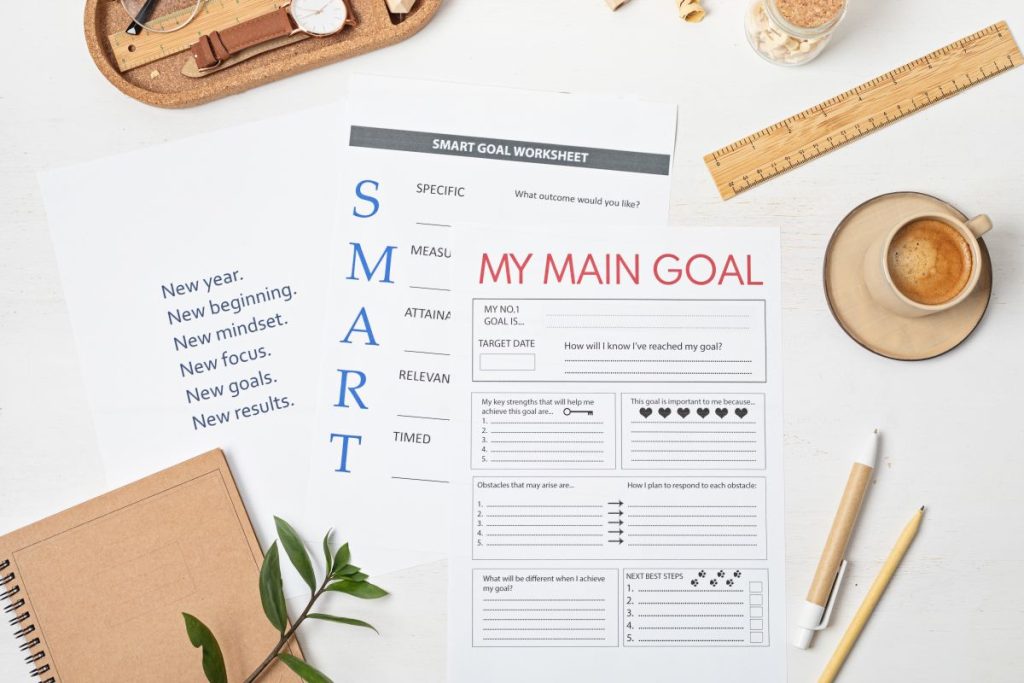
Include clear prompts, enough space for their answers, maybe a simple framework they can return to when they need it. Make it professional looking but not over-designed.
How Do You Create This Without Fancy Software?
Google Docs. That’s it.
I create a header in Canva to make it look polished, then drop it into a Google Doc. I then add my prompts or questions below. I format it cleanly and it’s done.
Then I share it as a Google Doc instead of converting to PDF. Why? Because people can type directly into it. They don’t need to print anything or download special software. They just click, type their answers, and save it to their own Google Drive.
This makes it way more likely they’ll actually use it.
I’ve honestly spent more time deciding what to watch on Netflix than creating workbooks.
The content matters infinitely more than fancy design. A simple Google Doc with a nice Canva header can outperform beautifully designed resources because people actually engage with it.
Where Should You Promote This?
You built this great resource. Now people need to know it exists.
Your blog is obvious. Write content around the problem your workbook solves, then offer the workbook as the natural next step. This drives newsletter growth consistently.
Social media works if you actually explain the benefit instead of just dropping links. Tell people what they’ll get and why it matters to them specifically.
Pinterest is seriously underrated for lead generation. Create a vertical pin, write a solid description, and then, link to your opt-in page.
If you’re emailing people anyway, include a line about your free workbook in your signature.
If you are in any groups, paid or free, they may offer their subscribers free resources. This is how I am building my list.

What Email Campaigns Should You Send After They Download?
Someone downloaded your workbook. Great. Now what?
Your welcome email needs to arrive fast. Thank them, deliver the workbook link again (even though they got it on the download page), and tell them what to expect from you going forward.
Then you need a short sequence. I send four emails over 10 days that:
- Help them actually use the workbook
- Share related tips they’ll find useful
- Build the relationship naturally
- Mention what else I offer (without being pushy)
This is basic email automation. You set it up once in GoHighLevel, new subscribers get it automatically through your email marketing platform.
After that, they join your regular newsletter. Keep showing up with helpful content consistently. Some people obsess over getting subscribers then forget you actually need to email them valuable stuff regularly.
How Do You Keep Your Emails Out of Spam Folders?
Email deliverability matters more than your subscriber count.
Use a real email marketing service. Don’t try to send bulk emails from your personal Gmail. That’s asking for trouble.
Authenticate your domain. I know this sounds technical but platforms like GoHighLevel have step-by-step tutorials. You’re basically proving you’re legitimate, not some spammer.
Avoid obvious spam trigger words in subject lines. Things like “free,” “guarantee,” “act now,” “limited time” can flag filters.
Keep your list clean. I remove people who haven’t opened anything in six months. Yeah, it hurts to delete subscribers, but inactive people hurt your sender reputation with email providers.
Most importantly? Send content people actually want to open. Engagement (opens, clicks) tells email providers your messages are wanted, not spam.

Should You Segment Your Audience Right Away?
Once you’ve got a few hundred subscribers, audience targeting starts making sense.
Not everyone wants identical content. Someone interested in beginner tips doesn’t need your advanced strategies yet. They’ll tune out.
I tag people based on what they download, which links they click, or what topics they engage with. Then I send relevant content to people who actually care about that specific thing.
A fitness blogger might segment by goals: weight loss, muscle building, general wellness. Each group gets emails focused on their specific interest instead of generic fitness advice.
This improves conversion rate optimization because you’re speaking directly to what people actually want.
But don’t segment until you need to. 50 subscribers doesn’t need segmentation. 500 might benefit. 5,000 definitely need it.
How Can You Track What’s Actually Working?
You need data to make smart decisions about your email templates and strategy.
Your email service provider shows open rates and click-through rates for every email you send. Pay attention to patterns.
If your welcome sequence has one email that barely gets opened? That subject line probably needs work. Test something different.
If nobody clicks your calls to action? Maybe they’re unclear or you’re offering something people don’t actually want.
Template what works. If a certain email format consistently gets good subscriber engagement, use that structure again.
Track which workbooks or lead magnets bring in the most engaged people. Double down on what’s working. Ditch what isn’t bringing results.
What Mistakes Will Waste Your Time?
Making your workbook too complicated defeats the entire purpose. Short page means one or two pages. Not a front page plus three pages of instructions.
Hiding your opt-in forms doesn’t help anyone either. Make your signup obvious. Top of your homepage, end of blog posts, sidebar, everywhere your readers hang out. This is something I need to get better at.
Sending emails randomly without any consistency kills trust fast. Pick a schedule (weekly, bi-weekly, whatever) and stick with it.
Over-promising and under-delivering on your workbook will make people unsubscribe faster than anything else. Be honest about what they’ll actually get.
Not having a clear next step after someone joins your list. They signed up because they trust you enough to share their email. Guide them somewhere. Don’t just leave them hanging in your email system.
What’s Your Actual Next Move?
A simple, short workbook builds your email list because it’s actually doable to create and useful enough that people want it.
You don’t need a massive funnel or complicated marketing automation when you’re getting started with digital marketing. You need one strong lead magnet, a basic landing page, and consistent follow-up through email campaigns.
Most people never start because they’re waiting for everything to be perfect. Your first workbook doesn’t have to be perfect. It needs to be helpful and done.
Create it this week. Get it on a simple landing page. Start promoting it to your target audience. You’ll learn more from 50 real subscribers than from reading another tutorial about email list building strategies.
What problem could you solve for your audience in a few short focused pages? That’s your starting point for customer relationship management and real connections.
Frequently Asked Questions
Can a one or two page workbook really build a subscriber list?
Absolutely. One or two page workbooks convert well because they’re quick to consume and immediately actionable. People prefer something they can complete in 10 minutes over a guide they’ll never finish.
What’s the best format for a workbook lead magnet?
Google Docs work great. Create a nice header in Canva, drop it into a Google Doc, and share it so people can type directly into it. Way more user-friendly than PDFs.
How often should I email my list?
Start with once weekly. Consistency matters more than frequency for newsletter growth. Pick a schedule you can maintain long-term without burning out.
Do I need expensive tools for email automation?
Not necessarily. Platforms like GoHighLevel offer robust automation features that let you build sequences and manage your list without needing multiple tools.
What open rate should I expect?
Industry average is around 15-25% for most niches. Focus on growing that number by sending valuable content consistently rather than obsessing over the metric.
How many subscribers do I need before segmenting?
Wait until you have at least 500 subscribers. Before that, everyone can receive the same emails without any real downside to your engagement.
Should my workbook be gated or freely available?
Gate it behind an email signup. That’s the whole point for list building. Make it valuable enough that giving an email address feels like a fair trade.
How do I know if my workbook topic will work?
Look at what questions people ask you repeatedly, which blog posts get the most traffic, or what problems come up in your niche constantly. Solve one of those real problems.