Meta Descriptions Improve CTR: Why Yours Probably Don’t (And How to Fix It)
Meta descriptions that improve CTR are an overlooked part of blogging, and I say that as someone who ignored them for way too long.
I’d spend hours writing the perfect blog post, obsessing over every word, making sure my keyword research was solid. Then I’d slap together some boring meta description.
Turns out, that little 160-character snippet under your title in Google search? It matters. A lot.
Your blog post shows up in search engine results pages alongside nine other results. Everyone’s fighting for that click.
Your meta description is basically your elevator pitch to convince someone that YOUR post is the one they need to read.
And if you’re like I was, you’re probably getting this completely wrong.
What Actually Is a Meta Description Anyway?
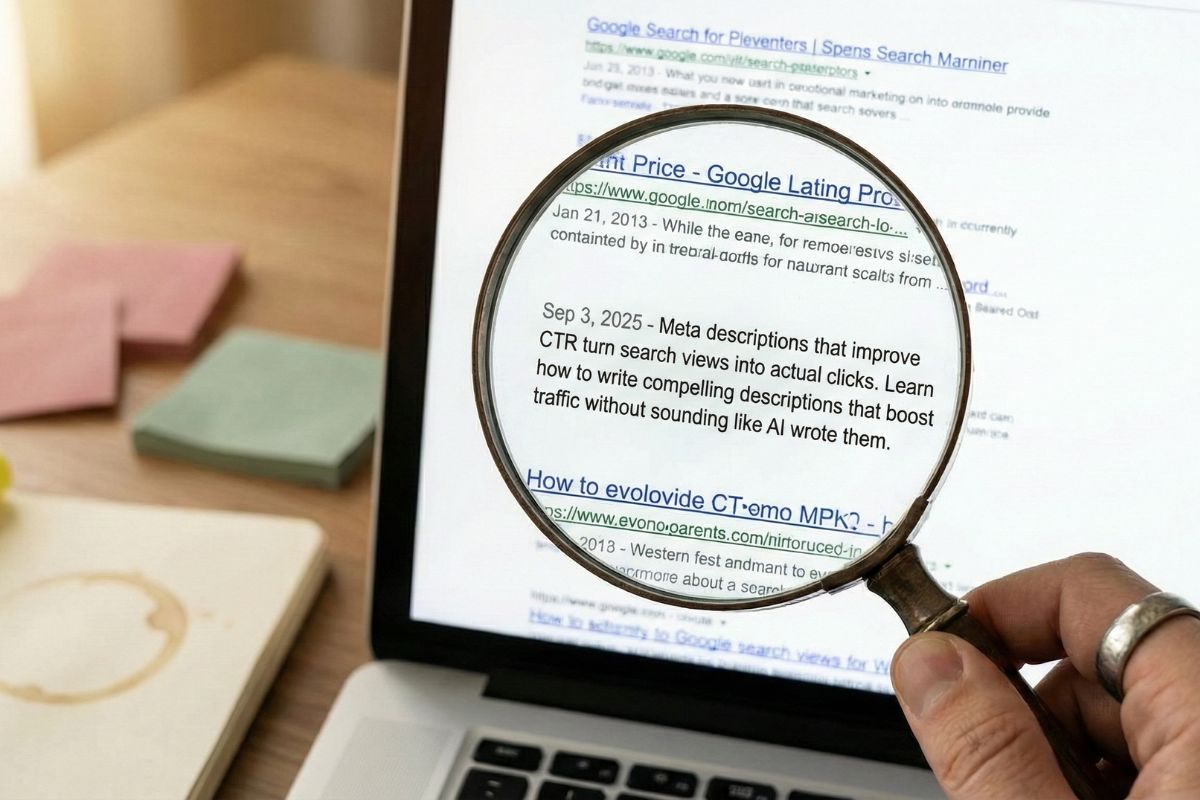
A meta description is that short summary that shows up under the blue link when your post appears in Google search results.
It’s part of your meta tags, which are basically instructions you give to search engines about what your content is about.
The meta description doesn’t directly affect your search engine optimization rankings, but it absolutely affects whether people actually click your link.
When I first started studying SEO for beginners, I thought meta descriptions were some complicated technical thing. They’re not. You’re literally just writing a sentence or two that explains what someone will find if they click through to your web page.
Google displays about 155-160 characters in the SERP (that’s search engine results pages for those of you who hate acronyms as much as I do). If you write more than that, it gets cut off with those annoying dots.
Here’s where it gets interesting though. If you don’t write a meta description, Google will just grab random sentences from your post. Sometimes that works fine. Usually? Not so much.
I had a post about retirement planning where Google pulled a sentence that made it sound like I was selling financial products. I wasn’t writing at all about that. My click-through rate was terrible until I fixed it.
Just to be clear, Google doesn’t always use your meta description. Sometimes, you haven’t done anything wrong. It’s just trying to match the user-intent and it will show a part of your blog that is more relevant to that user’s search.
How Does This Affect Your Click-Through Rate?
Your click-through rate (CTR for short) measures how many people see your link in search results versus how many actually click it.
Let’s say 100 people see your post show up for a search query. If 5 people click, that’s a 5% CTR. If only 2 click, that’s 2%.
Why does this matter for SEO optimization?
Because Google pays attention to user engagement signals. When your post gets more clicks than other results for the same search, it tells the search engine that people find your content relevant and useful. Over time, this can actually improve your web page ranking.
I’ve watched this happen with my own posts. Once I started writing better meta descriptions, my click-through rate went up. Then, slowly, my rankings started improving too. Not overnight, but definitely noticeable over a few months.
The conversion rate matters here too. You want the RIGHT people clicking through, not just any clicks.
A misleading meta description might temporarily boost your CTR, but then people bounce immediately because you didn’t deliver what you promised. That tanks your engagement metrics and doesn’t help anyone.

Why You Need to Write Your Own Meta Descriptions
Google will auto-generate meta descriptions if you skip this step. Sometimes they’re okay. Most of the time? They’re garbage.
I tested this on about twenty of my older posts. The ones where I wrote thoughtful meta descriptions consistently got 2-3x more clicks than the ones where I let Google decide.
When you write your own, you control the message. You can naturally include keywords that matter, highlight what makes your content different, and give people a specific reason to click instead of scrolling past.
Your meta description also shows up when people share your links on social media. So this matters for digital marketing beyond just search visibility.
Plus, and this is huge, AI search is changing everything. ChatGPT and other AI tools are pulling information from meta descriptions to understand what your content covers.
If your meta description is weak or missing, you’re less likely to show up in AI-generated summaries and answers.
What Should You Actually Put in a Meta Description?
Start with your main keyword, but make it sound like a human wrote it. Don’t just stuff keywords in there hoping Google will notice. That strategy stopped working about ten years ago.
Address the actual problem someone is trying to solve. What question brought them to a search engine? Your meta description should make it crystal clear you’ve got the answer.
Include a benefit or outcome. Don’t just describe what your post covers. Tell readers what they’ll learn, accomplish, or figure out by clicking.
Add a subtle call to action when it makes sense. Phrases like “Learn how” or “Discover why” can nudge people toward clicking without sounding pushy or salesy.
Keep your personality in there. Your meta description doesn’t need to sound like a robot wrote it. Actually, in the age of AI-generated content, showing personality is more important than ever.
Here’s an example from one of my posts:
Bad meta description: “This post explains meta descriptions and how they work for SEO.”
Better meta description: “Learn how to write meta descriptions that actually get clicks. Simple tips for improving your CTR without overthinking the technical stuff.”
See the difference? The second one tells you what you’ll get AND sounds like a real person wrote it.

How Long Should Your Meta Description Actually Be?
Google shows about 155-160 characters including spaces. I aim for 150-158 characters. This gives me room to say something meaningful without getting cut off.
Mobile search results show even less, sometimes cutting off around 120 characters. More than half of searches happen on phones now. If your meta description doesn’t work on mobile, you’re losing a lot of potential organic traffic.
I write my meta descriptions assuming someone will only see the first 100-120 characters. Anything beyond that is bonus information for desktop users, but the core message needs to land fast.
Some content marketing tools count characters differently, so always check how your description actually appears in search results. What looks perfect in WordPress might get truncated in the actual SERP.
What Mistakes Are Killing Your Click-Through Rate?
Stuffing keywords unnaturally is the fastest way to make people scroll past your link. Yes, you want relevant keywords in there, but “best blog tips for bloggers who want blogging advice about blogs” sounds ridiculous.
Being vague also wastes the opportunity. “This post has great tips” tells me absolutely nothing. Why should I click yours instead of the result above or below it?
Making promises you can’t keep destroys trust and tanks your user engagement. If your meta description says “Complete guide to WordPress” but your post only covers installing one plugin, people will bounce within seconds.
Ignoring search intent behind your target keywords hurts both your CTR and rankings. If someone searches “how to start a blog,” they don’t want a meta description about advanced monetization strategies. Understanding search intent is absolutely crucial here.
Using the same meta description for multiple pages confuses search engines and dilutes your chances of ranking well for anything.
I made all these mistakes when I started. My early meta descriptions were either boring, misleading, or just nonexistent. Don’t be like early-me.

How Do You Know If Your Meta Descriptions Are Working?
Track your performance through Google Search Console. This free tool shows exactly how many impressions your pages get (how many times they show up in search) versus how many clicks they actually receive.
Compare your click-through rate to the average for your ranking position. A post in position 3 naturally gets fewer clicks than position 1.
But if your CTR is way below average for your position, your meta description might be the problem.
Look at bounce rate and session duration in your web analytics. High clicks but quick exits mean your meta description attracted people, but your content didn’t match what you promised. That’s a disconnect you need to fix.
Test different approaches. I’ll sometimes update meta descriptions on older posts to see if I can improve their performance. Small tweaks can make a surprisingly big difference in organic traffic over a few months.
One post I have about affiliate marketing was stuck at a 2% CTR for months. I rewrote the meta description to be more specific about what readers would learn, and within six weeks the CTR jumped to almost 6%.
Same ranking position, same content, just a better description.
What About AI Search and Featured Snippets?
This is where things get really interesting and honestly a bit frustrating.
ChatGPT, Google’s AI Overviews, and other AI search tools are changing how people find content. These tools often pull information directly from meta descriptions to understand and summarize content.
If your meta description clearly explains what your post covers and includes relevant keywords naturally, you’re more likely to get cited or referenced in AI-generated answers.
Featured snippets are another consideration. While meta descriptions don’t directly control snippet optimization, they work together with your title tags and content structure to help search engines understand what you’re offering.
I’ve noticed that posts with clear, benefit-driven meta descriptions are more likely to appear in “People also ask” sections and AI-generated summaries. The connection isn’t direct, but it’s definitely there.
The key is writing meta descriptions that work for both traditional search engine results and AI interpretation. That means being specific, accurate, and genuinely helpful rather than keyword-stuffed or vague.
Where Does This Fit in Your Overall On-Page SEO?
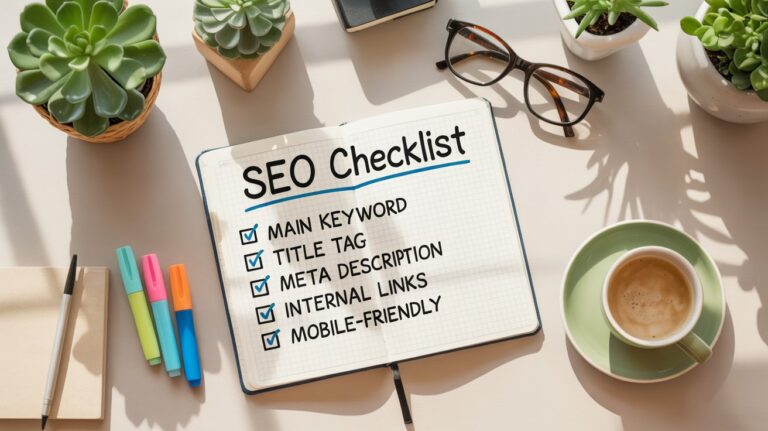
Meta descriptions are one piece of your on-page SEO checklist, but they work together with everything else you’re doing.
Your title tags and meta descriptions should complement each other without being repetitive.
If your title says “Ultimate Guide to Blogging Tips,” your meta description should elaborate on what those tips are and why someone should care.
Your content strategy matters too. The meta description should accurately reflect what’s actually in your post. This alignment helps with both user engagement and long-term search visibility.
Internal linking, header tags, image optimization, all of these elements work together. Meta descriptions are the piece that specifically focuses on convincing someone to click once they find you.
When you’re building out your content, internal linking between related posts helps both readers and search engines understand how your topics connect.
A strong internal linking strategy supports your meta descriptions by creating a web of relevant content that keeps people on your site longer.
Think of it this way: your SEO optimization gets you seen in search results. Your meta description gets you clicked. Your actual content keeps people reading. They’re all connected.
Can You Use Special Characters or Emojis?
Yes, and strategically placed special characters can make your listing stand out. Symbols like → ✓ or | can draw attention when used sparingly.
But don’t go crazy. A meta description full of emoji looks spammy, not professional. One or two strategic characters work way better than a fireworks display.
Some symbols might not display correctly in all search results, so test how your description actually appears before committing to an approach.
I use a simple arrow (→) occasionally in meta descriptions to separate ideas or point toward a benefit. It works. But I’ve also seen people stuff their descriptions with stars and checkmarks and exclamation points, and honestly? It looks desperate.
Writing Better Meta Descriptions Starting Right Now
Every audience responds differently. What works for a travel blog might not work for digital marketing content. The only way to know what resonates with your readers is to try different approaches and track results.
Start by writing meta descriptions that clearly explain what your content offers, include your main keyword naturally, and give readers a specific reason to click. Then watch your analytics to see what happens.
Over time, you’ll develop a feel for what language and structure works for your specific audience. This isn’t about following a rigid formula. It’s about understanding what convinces YOUR readers that your content is worth their time.
I still tweak and test meta descriptions on my top posts every few months. Some changes make a noticeable difference. Others don’t move the needle at all. That’s fine. You learn from both.
The search engine results pages are crowded. Your meta description is often your only shot at making a first impression before someone decides to click your competitor’s link instead.
Make it count.
Frequently Asked Questions
Do meta descriptions directly affect search rankings? No. Google has confirmed meta descriptions aren’t a ranking factor. But they indirectly affect rankings by improving click-through rate, which is an engagement signal Google monitors.
Should every page have a unique meta description? Absolutely. Duplicate meta descriptions confuse search engines about which page should rank for what, and they don’t help convince anyone to click.
Can I change meta descriptions on old posts? Yes. Updating meta descriptions on existing content can boost click-through rate without changing the actual post. I do this regularly.
What if Google ignores my meta description? Google sometimes rewrites meta descriptions based on specific search queries, pulling content that better matches what someone searched. This happens even with well-written descriptions.
How often should I review my meta descriptions? Check your top-performing posts quarterly and update any with low click-through rates relative to their ranking position.
Do meta descriptions matter for AI search? Yes. AI tools like ChatGPT often reference meta descriptions when understanding and summarizing content, making them increasingly important.