SEO for Beginners Guide to Getting Found on Google
Learning SEO for beginners doesn’t have to feel like decoding the Matrix. I promise.
I get it. You’ve spent the last month pouring your heart into blog posts about your travels, your recipes, or whatever wisdom you’re sharing with the world.
And then… crickets.
Maybe your sister-in-law read it. Your neighbor clicked the link you texted her. But Google? Google acts like your blog doesn’t even exist.
Here’s the thing: writing great content is only half the battle. The other half is making sure people can actually find it. That’s where search engine optimization comes in, and yes, you can absolutely learn this stuff.
I’m going to walk you through exactly how search engines work, what you need to focus on, and how to stop feeling like SEO is some mysterious dark art that only 20-year-olds with computer science degrees can understand.
What Exactly Is SEO and Why Should You Care?
Search engine optimization is basically the practice of making your blog posts show up when people search for topics you write about.
When someone types “best hiking trails for beginners” into Google, the search engine algorithms scan through millions of web pages and decide which ones deserve to show up on that first page of results.
Those organic search results? That’s the free traffic you want.
The websites that appear on page one aren’t paying for that spot. They’ve just figured out how to structure their content in ways that search engines understand and trust.
And before you think “that sounds complicated,” remember this: Google wants to show people the best, most helpful content. If you’re writing genuinely useful stuff and following some basic guidelines, you’re already halfway there.
How Do Search Engines Actually Decide What Shows Up First?
Think of Google as a incredibly picky librarian. When someone asks a question, this librarian needs to find the absolute best book (or in this case, web page) that answers it.
Search engines use something called crawling and indexing. Little programs called “bots” constantly scan websites, reading every page and cataloging what they find.
Then, when someone searches, the algorithm ranks all those pages based on hundreds of factors.
The biggest factors? Whether your content actually answers the question, how well your page is structured, and whether other reputable websites link to you (that’s where domain authority comes in).
But here’s something new you need to know: Google now shows AI-generated answers right at the top of many search results.
You’ve probably seen them. They’re called AI Overviews, and they pull information from multiple sources to answer questions directly on the search page.
This means some people get their answer without ever clicking through to a blog. Does that mean SEO is dead? Not even close. It means you need to be smarter about how you structure content.
Your job isn’t to trick Google. Your job is to make it ridiculously easy for Google (and now AI systems) to understand what your content is about and who it helps.

What Changed With AI Search and What Does It Mean for Your Blog?
Okay, let’s talk about the elephant in the room. Search is changing fast, and AI is driving that change.
Besides Google’s AI Overviews, people are now using ChatGPT, Perplexity, and other AI search tools to find information. These tools scrape content from websites and synthesize answers without necessarily sending traffic your way.
Sounds scary, right?
Here’s the reality: the best content still wins. But you need to adjust your strategy.
First, answer questions immediately. Put the main answer in your first paragraph.
AI bots and featured snippets pull from that opening content. If someone reads your AI-generated answer and wants more depth, your blog is right there.
Second, go deeper than surface-level answers. AI can summarize basic information, but it can’t replace your personal experience, specific examples, and unique insights. That’s your competitive advantage.
Third, focus on search intent more than ever. When someone searches “best container plants,” are they looking for a quick list or a detailed guide covering soil, watering schedules, and seasonal considerations?
Comprehensive content that truly helps people will always have value.
Fourth, build authority and trust. AI systems are more likely to pull from and reference authoritative sources.
This means quality backlinks, consistent publishing, and demonstrating genuine expertise matter even more now.
The blogs getting hit hardest by AI search are thin content sites that just regurgitate basic information. If you’re creating genuinely helpful content based on real experience, you’re going to be fine.
Think of AI as changing the game, not ending it. You’re still playing, you’re adapting your strategy.
What Is Keyword Research and Why Does It Matter?
Keyword research is just figuring out what words and phrases people actually type into search engines when they’re looking for information you can provide.
Let’s say you write about container gardening. You might think everyone searches “container gardening tips.”
But maybe they’re actually typing “how to grow tomatoes in pots on apartment balcony” or “best vegetables for small space gardening.”
Those longer, more specific phrases? Those are called long-tail keywords, and they’re gold for newer blogs. Why? Because millions of websites are competing for “gardening tips” but way fewer are targeting those super-specific searches.
Free SEO tools like Google Keyword Planner can show you search volume (how many people search for something monthly) and keyword difficulty (how hard it is to rank for that term).
Google Search Console (also free) shows which keywords already bring people to your site.
How Do You Actually Find Keywords Worth Targeting?
Start by making a list of topics your blog covers. Then think about the questions your ideal reader asks.
Use Google’s autocomplete. Start typing a phrase related to your topic and see what Google suggests. Those suggestions come from real searches people make.
Check the “People Also Ask” boxes that show up in search results. Those questions? Pure keyword gold. Each one represents something real humans want to know.
And here’s a bonus: when you answer these questions thoroughly in your content, you have a better shot at appearing in those featured snippets and AI Overviews.
Look at competitor analysis too. What are other blogs in your niche ranking for? SEO tools like Ubersuggest or even free options can show you which keywords bring traffic to similar sites.
And here’s a trick nobody talks about: look at the bottom of Google’s search results for “related searches.”
Those related terms often reveal variations and LSI keywords (basically related phrases that help search engines understand your topic better).
What Is On-Page SEO and How Do You Do It Right?
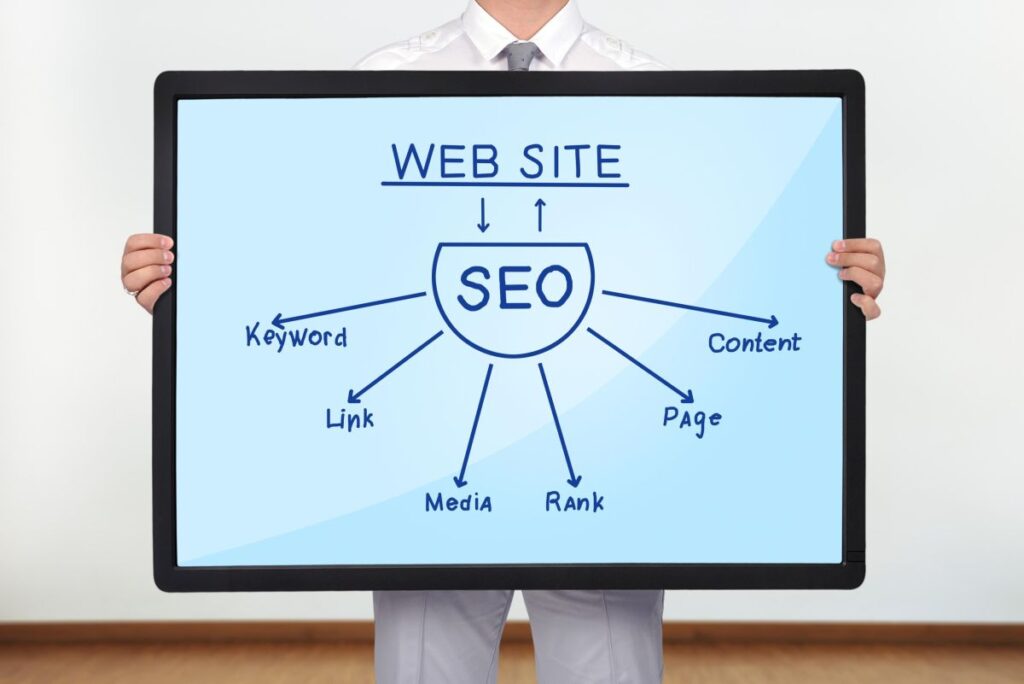
On-page SEO is everything you control directly on your blog posts. This is where you make it crystal clear to search engines what your content is about.
Start with your title tag. That’s the clickable headline that shows up in search results. Put your main keyword near the beginning, but make it compelling enough that humans want to click.
Something like “Container Gardening for Beginners: 7 Mistakes That Kill Your Plants” works better than “Container Gardening Tips.”
Your meta description is that short blurb under the title in search results. It doesn’t directly affect ranking, but a good one increases your click-through rate. Keep it under 160 characters and include your target keyword naturally.
Header tags (H1, H2, H3) help organize your content. Your main title is H1. Your subheadings are H2s. These help both readers and search engines understand your content structure.
Notice how I’m using questions for these subtitles? That helps capture those “People Also Ask” features and makes it easier for AI systems to identify and extract answers.
URL structure matters too. Keep your page URLs short, descriptive, and include your keyword. “yourblog.com/container-gardening-beginners” beats “yourblog.com/post12345.”
Here’s something crucial in the age of AI search: put your main answer right at the beginning.
Don’t make people (or AI bots) scroll through three paragraphs of background before getting to the point. Answer the question immediately, then provide context and depth.
Why Does Content Quality Actually Matter for SEO?
Here’s something that’ll save you months of frustration: Google has gotten scary good at identifying thin, unhelpful content.
Content optimization isn’t about stuffing keywords into every sentence until your writing sounds robotic. It’s about thoroughly answering questions and providing real value.
Longer, comprehensive content tends to rank better because it typically covers topics more completely. But “longer” doesn’t mean rambling. It means actually addressing what people want to know.
Internal linking helps too. When you link from one post on your blog to another relevant post, you’re helping search engines understand your site structure and keeping readers engaged longer. Both of those things improve your search engine ranking.
Image optimization matters more than you’d think. Use descriptive file names (not “IMG_1234.jpg”) and always add alt text that describes what’s in the image.
This helps with accessibility and gives search engines more context about your content.
What Exactly Are Meta Tags and Do You Really Need Them?
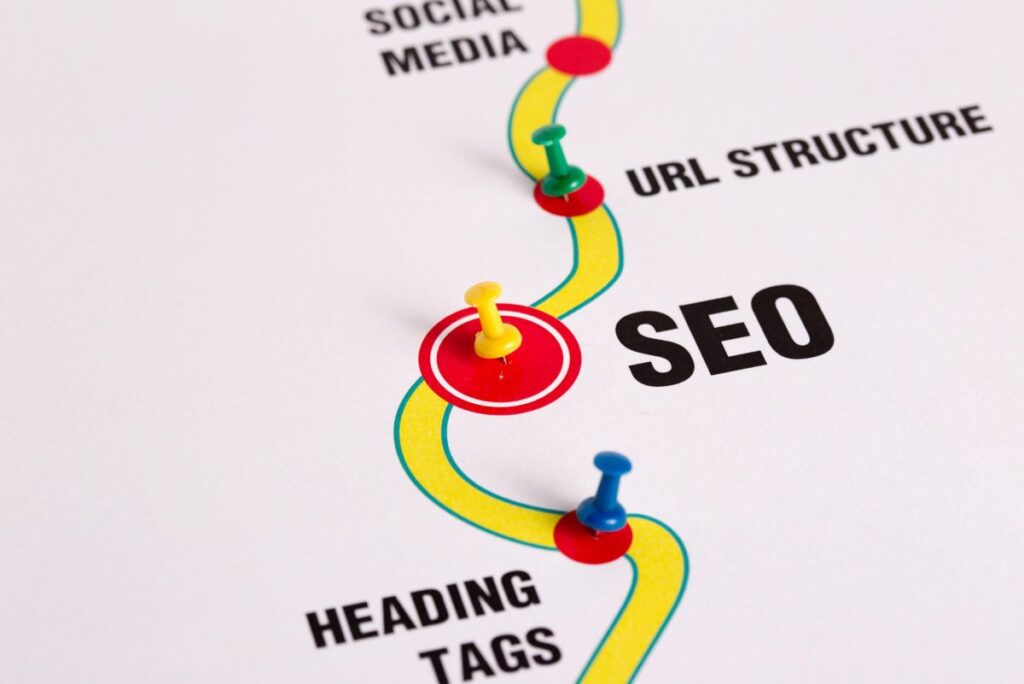
Meta tags are snippets of code that tell search engines about your page. The most important ones are your title tag and meta description, which I mentioned earlier.
But there’s also the robots.txt file, which tells search engine bots which parts of your site to crawl or ignore. Unless you’re getting technical, most blogging platforms handle this automatically.
If you’re on WordPress (and you probably should be), SEO plugins like Yoast SEO or Rank Math make managing meta tags ridiculously simple. They give you fields to fill in your title and description without touching any code.
These plugins also offer SEO analysis as you write, flagging issues like keyword optimization problems, readability concerns, or missing alt text. It’s like having an SEO coach built into your blog dashboard.
What Is Off-Page SEO and Why Should You Care About Backlinks?
Off-page SEO is everything that happens away from your actual website. The biggest factor? Backlinks.
A backlink is when another website links to your content. Think of it as a vote of confidence. When reputable sites link to you, search engines see your content as more trustworthy and authoritative.
Link building is the process of earning these backlinks. You can do this through guest posting on other blogs, creating content so valuable that people naturally want to share it, or connecting with others in your niche who might reference your work.
Not all backlinks are equal though. A link from a well-established site with high domain authority is worth way more than dozens of links from sketchy directories. Quality beats quantity every single time.
Brand mentions (even without links) and social media marketing can indirectly help your SEO by driving traffic and increasing visibility.
How Long Does It Actually Take to See Results?
Real talk: SEO is a long game.
Most blogs need three to six months of consistent effort before seeing meaningful organic traffic. Some competitive niches take even longer.
This isn’t like paid advertising where you flip a switch and get immediate results. But once your content starts ranking, that traffic keeps coming without ongoing ad spend. That’s the beauty of organic search.
Track your progress with Google Analytics. This free tool shows exactly where your traffic comes from, which pages perform best, and how people interact with your site.
You’ll see metrics like bounce rate (how many people leave after viewing one page) and session duration (how long visitors stick around).
Web traffic analysis helps you understand what’s working so you can do more of it. If certain topics consistently perform better, that tells you something about what your audience wants.
What About Technical Stuff Like Page Speed and Mobile Optimization?
Page speed optimization matters because nobody waits for slow websites. If your blog takes longer than three seconds to load, people bounce. And Google knows it.
Compress your images before uploading them. Use tools like TinyPNG or built-in compression features. Giant image files are usually the biggest culprit behind slow load times.
Choose quality web hosting. Cheap hosting might save you $5 a month but costs you visitors when your site loads slowly or crashes. It’s worth investing in solid hosting from the start.
Mobile optimization isn’t optional anymore. More people browse on phones than computers. Google actually uses mobile-first indexing, meaning they look at your mobile site first when deciding how to rank you.
Make sure your theme offers responsive design that automatically adjusts to different screen sizes. Test your site on your phone regularly. If it’s hard for you to navigate, it’s hard for everyone.

How Do You Actually Create an SEO Strategy That Works?
Start with an SEO audit of your existing content. Which posts get traffic? Which ones don’t? Look for patterns.
Build a content strategy around keyword research. Plan posts targeting specific searches your ideal readers make. Mix high-competition keywords (for long-term goals) with low-competition long-tail keywords (for quicker wins).
Focus on search intent. Are people looking for information, trying to buy something, or wanting to go somewhere specific? Match your content to what they actually need.
Create content clusters around main topics. Write one comprehensive pillar post, then create several related posts that link back to it. This site architecture helps search engines understand your expertise in specific areas.
Don’t forget about user experience. Clean navigation, readable fonts, clear calls to action… all of this keeps people on your site longer, which signals quality to search engines.
Deciding whether to use long-form content vs short-form content depends on the problem you are trying to solve with your article. Again, match your content to what’s needed. If it can be explained in a short article then use it. If it’s an in-depth concept or tutorial go for long-form.
What Tools Actually Help Without Overwhelming You?
You don’t need dozens of expensive SEO tools to get started.
Google Analytics shows who visits and what they do. Google Search Console shows how you appear in search results and flags technical issues. Both are free and essential.
For WordPress users, install either Yoast SEO or Rank Math. Pick one. They both offer excellent SEO optimization features without overwhelming beginners.
Google Keyword Planner (completely free with a Google Ads account) helps with keyword analysis. Google Trends shows what people are searching for right now. Both are free and powerful.
As your blog grows, you might explore more advanced options like SEMrush or Ahrefs. But honestly? Master the basics first. Fancy tools won’t fix fundamental SEO problems.

Can You Really Learn SEO for Beginners Without Being Too Overwhelmed?
Absolutely. You just need to start somewhere and build your knowledge gradually.
Pick one aspect of SEO to focus on this month. Maybe it’s keyword research. Next month, tackle on-page optimization. The following month, work on building some quality backlinks through guest blogging or outreach.
Join blogging communities where people share SEO tips and answer questions. Learning from others who’ve been where you are right now speeds up the whole process.
Remember that content quality always wins long-term. Focus on creating genuinely helpful posts that thoroughly answer questions, and the technical SEO becomes much easier.
You’ve got decades of knowledge and experience to share. SEO is just the bridge that connects what you know with people who need to hear it. And that bridge? It’s totally worth building.
Ready to Make Google Actually Notice Your Blog?
Learning SEO for beginners isn’t about memorizing 200 ranking factors or becoming a technical wizard overnight.
It’s about understanding how search engines work, doing solid keyword research, optimizing your content in ways that actually help readers, and building authority over time.
You can do this. If you figured out how to start a blog in the first place, you can definitely figure out how to make people find it.
Start with one post. Apply these principles. Track what happens. Adjust. Repeat.
The search engine ranking you want isn’t going to happen overnight, but with consistent effort and smart optimization, those crickets will turn into actual readers who found you through Google.
And that? That’s when blogging gets really fun.
Frequently Asked Questions
How long does SEO take to work? Most blogs see initial results in 3-6 months with consistent effort. Competitive niches may take 6-12 months before ranking for target keywords.
Do I need to pay for SEO tools? No. Start with free tools like Google Analytics, Google Search Console, and free versions of keyword research tools. Paid tools help but aren’t required for beginners.
What’s more important: keywords or content quality? Content quality. Google has gotten excellent at identifying helpful content. Use keywords naturally, but focus on thoroughly answering reader questions.
Should I hire an SEO expert? Not right away. Learn the basics yourself first. Once you understand fundamentals, you’ll make smarter decisions about when and who to hire.
How many keywords should I target per post? Focus on one main keyword and several related phrases. Trying to target too many different keywords in one post dilutes your focus.
Does social media help SEO? Indirectly. Social media doesn’t directly improve rankings but drives traffic and can lead to backlinks when people discover and share your content.
Will AI search kill my blog traffic? No, but it changes strategy. Focus on comprehensive, experience-based content that goes deeper than AI-generated summaries. Answer questions immediately and demonstrate real expertise.