On-Page SEO Checklist for Blog Posts: The Real Deal About Getting Found on Google
An on-page SEO checklist for blog posts sounds about as exciting as reading the phone book, right?
But here’s the thing I wish someone had told me when I started blogging: this stuff is literally the difference between having readers and having crickets.
I spent my first six months writing these beautiful, helpful posts that nobody ever saw. Zero traffic. Zilch. Nada.
Why?
Because I didn’t understand that Google needs specific signals to know what your post is about and who should see it. I was basically shouting into a void while wearing a blindfold.
Once I figured out on-page SEO best practices, my traffic went from basically nothing to actual real humans finding my content.
And honestly? The basics aren’t that complicated once someone explains them in plain English.
What Does On-Page SEO Actually Mean?
Okay, let’s clear this up right now. Search engine optimization sounds super technical, but on-page SEO really means optimizing the stuff you control on your actual blog post.
Think of it like this: you’re having a conversation with Google, telling it exactly what your post covers so it can match your content with people searching for that information.
On-page optimization includes your title, your headings, the words you use, how you format images, your URL structure, and a bunch of other signals that help search engines understand your content. When you nail these elements, you’re basically rolling out a red carpet for Google to send readers your way.
The stuff you can’t control, like other websites linking to you? That’s off-page SEO. We’re not worrying about that today.
Why Should You Care About Search Engine Ranking?
Real talk: if you’re blogging and ignoring SEO, you’re making your life way harder than it needs to be.
Your SERP ranking (that’s your position on the Search Engine Results Page) determines whether people find your content or scroll past it. Studies show that the first five results get the vast majority of clicks. If you’re on page two? You might as well be invisible.
But here’s what changed recently and this is huge: Google now shows AI-generated summaries right at the top of search results. You’ve probably seen these AI Overviews when you search for something.
This means traditional SEO still matters, but you also need to think about how AI tools like ChatGPT and Google’s AI might use your content. They’re pulling from well-optimized posts to answer questions.
So getting your on-page SEO right helps you show up in regular search results AND potentially get featured in AI-generated answers. Two birds, one stone.
How Do You Actually Do Keyword Research?
Alright, keyword research trips up a lot of new bloggers because they overthink it.
Here’s my approach: think like your reader. What would they type into Google if they had the exact problem your post solves?
If you’re writing about starting a vegetable garden, they might search “how to start a vegetable garden” or “vegetable garden for beginners” or “easy vegetables to grow.”
Those are your keywords. Sometimes they’re single words (keywords), sometimes they’re phrases (long-tail keywords). The longer phrases are actually easier to rank for when you’re starting out because there’s less competition.
Google’s search bar is your best free tool here. Start typing a phrase and watch what auto-completes. Those suggestions are real searches people are making.
Also check out the “People also ask” section when you do searches. Free goldmine of related questions people want answered.
Once you’ve got your main keyword, you want it to show up naturally throughout your post. Which brings us to the next part.
What Are Title Tags and Why Do They Matter?
Your title tag is the clickable headline that shows up in search results. It’s also the title of your browser tab.
This is arguably the most important element on your entire page for SEO.
Your title tag needs to include your main keyword, preferably near the beginning. But it also needs to make humans want to click. You’re writing for both Google and real people.
A boring title tag: “Vegetable Gardening Tips”
A better title tag: “How to Start a Vegetable Garden: 7 Mistakes That Kill Your First Harvest”
See the difference? The second one has the keyword AND gives people a reason to click.
Keep your title tags under 60 characters or Google cuts them off with those annoying dots. You want people to see your full headline.
If you’re using WordPress, most SEO plugins let you customize your title tag separately from your actual post title. Use this feature. Your post title can be longer and more creative while your title tag stays concise and keyword-focused.
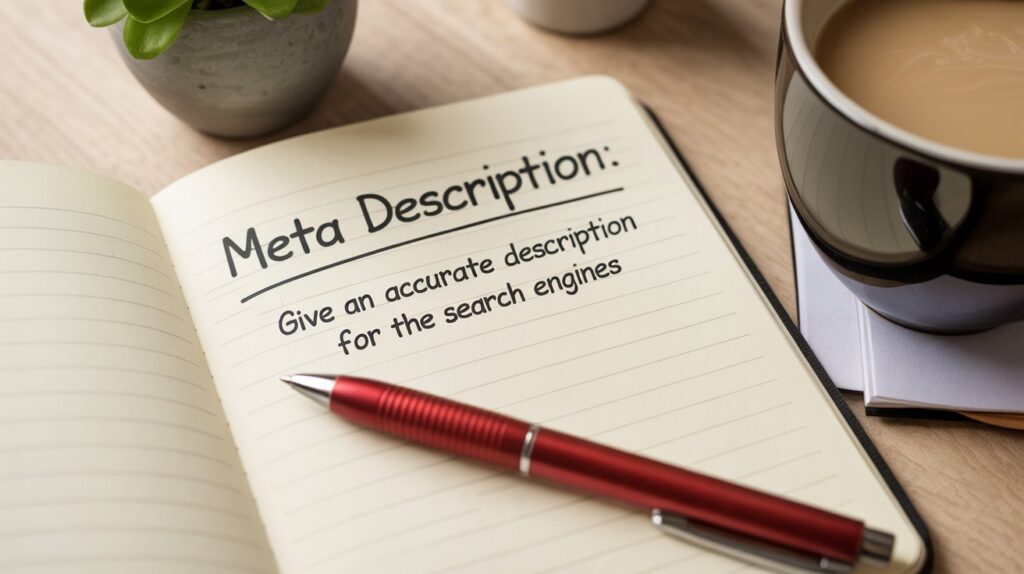
How Should You Write Meta Descriptions?
Meta descriptions are those little preview snippets under your title in search results. They don’t directly affect your ranking, but they absolutely affect whether people click.
Think of your meta description as your elevator pitch. You’ve got about 155-160 characters to convince someone your post has what they need.
Include your main keyword since Google bolds matching terms in search results. That helps your listing stand out.
Also write it like you’re talking to a real person who’s frustrated or curious. “Learn the on-page SEO checklist that finally helped me get traffic after six months of crickets. No tech jargon, just the stuff that actually works.”
Don’t stuff keywords in there like a robot. Write naturally while being strategic about placement.
What’s the Deal With Header Tags?
Header tags (H1, H2, H3, etc.) organize your content hierarchy. They’re like an outline for both readers and search engines.
Your H1 is your main post title. You should only have one H1 per post.
Your H2s are your main sections. These are perfect places to include keyword variations and related search terms people might use.
Here’s something most new bloggers miss: structure your H2s as questions when possible. Why? Because that’s how people search. They ask questions.
“What are header tags?” works better than “Header Tags Explained.”
Your H3s are subsections under your H2s. Use these to break up really long sections and make your content scannable.
This isn’t about tricking Google. It’s about making your content genuinely easier to read. When readers stick around longer, that tells Google your content is valuable. User engagement matters.
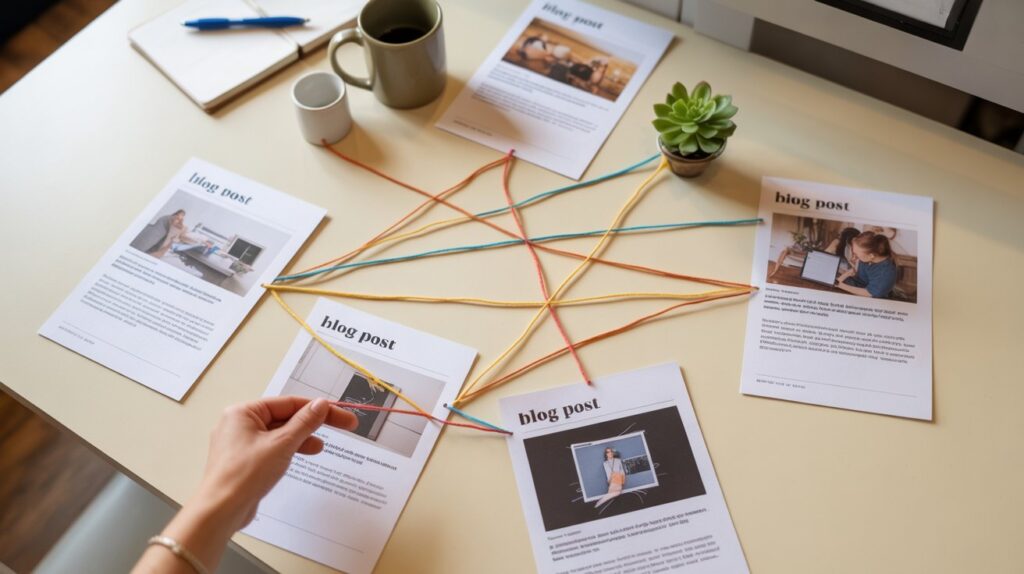
Why Does Internal Linking Help Your SEO?
Internal linking is when you link from one post on your blog to another post on your blog. This is powerful for several reasons.
First, it helps Google understand how your content connects. When you link from a post about title tags to another post about meta descriptions, Google sees these topics are related and strengthens both posts.
Second, it keeps readers on your site longer. If someone finishes your post and clicks to another helpful article, that’s more page views and better user experience signals.
Third, internal links pass what’s called link juice or page authority around your site. If you’ve got one post that ranks really well, linking from that post to newer content helps boost those newer posts.
My strategy is to aim for 2-5 internal links per post. Link to related content that genuinely helps your reader learn more. Use descriptive anchor text (the clickable words) that tells people what they’ll find when they click.
Also consider your site structure. Having clear categories and a logical content hierarchy makes it easier for both people and search engines to navigate your blog.
How Do You Optimize Images Without Going Crazy?
Image optimization sounds technical but it’s actually pretty straightforward.
First up: file size matters. Huge images slow down your site. Slow sites rank worse and frustrate readers. Before uploading any image, compress it.
Always optimize your images before uploading and you won’t have to worry about coming in later and fixing everything.
There are free tools online that’ll shrink your image files without making them look terrible. I usually aim to keep images under 200KB each.
Use descriptive file names before you upload. Instead of “IMG_3847.jpg,” rename it to “vegetable-garden-layout.jpg.” This helps search engines understand what the image shows.
Now for alt text. This is the text description you add to every image. It helps screen readers describe images to visually impaired users (important for web accessibility), and it helps Google understand your images.
Write alt text naturally: “Raised bed vegetable garden with tomatoes and peppers in summer” beats “vegetable garden SEO keyword.”
Also think about image format. JPEGs work great for photos. PNGs are better for graphics with text. WebP is newer and offers great compression, though not all platforms support it yet.
Finally, use lazy loading if your platform offers it. This means images only load as readers scroll down, which speeds up initial page load time.
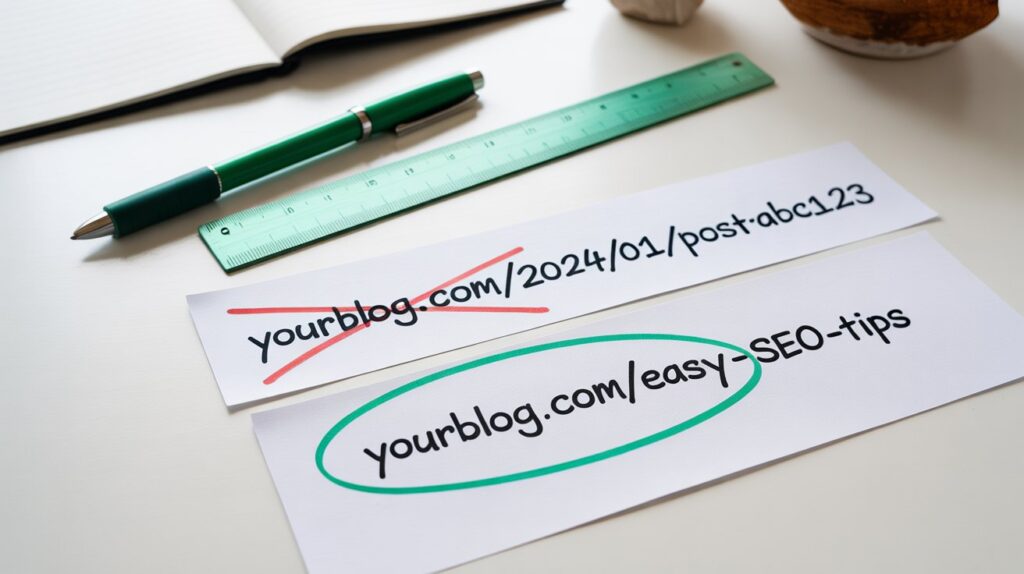
What Makes a Good URL Structure?
Your permalink (that’s your post’s permanent URL) should be short, descriptive, and include your main keyword.
Bad URL: yourblog.com/2024/01/27/post-547
Good URL: yourblog.com/on-page-seo-checklist
Most blogging platforms default to putting dates and random numbers in your URLs. Change this in your settings to use “post name” or a custom structure.
Keep URLs simple. Skip unnecessary words like “and,” “the,” or “for.” Use hyphens between words, not underscores.
Also avoid changing URLs once a post is published. If you absolutely must, set up a 301 redirect from the old URL to the new one. Otherwise, you break any links pointing to that post and confuse search engines.
Think of your slug (the end part of your URL after your domain) as permanent. Choose wisely from the start.
Why Mobile Responsiveness Isn’t Optional Anymore
Here’s something that trips up new bloggers: Google uses mobile-first indexing. That means Google looks at the mobile version of your site first when deciding how to rank you.
If your blog looks terrible on phones or loads slowly on mobile, you’re shooting yourself in the foot.
Make sure your theme is responsive design friendly. Most modern WordPress themes are, but test yours. Pull up your blog on your phone. Can you read everything? Do buttons work? Does it load fast?
Mobile-friendly means readable text without zooming, properly sized images, easy-to-click buttons, and quick load times even on slower connections.
The viewport (the visible area on mobile screens) should display your content properly. No weird horizontal scrolling or text getting cut off.
Also check touchscreen optimization. Buttons and links need enough space that someone can tap them without accidentally hitting the wrong thing.
Google offers a free Mobile-Friendly Test tool. Use it. If your site fails, fixing mobile issues should be your top priority.

How Fast Does Your Page Speed Need to Be?
Page speed is a direct ranking factor. Faster sites rank better, period.
But it’s not about being the absolute fastest site on the internet. It’s about being fast enough that readers don’t get frustrated and leave.
Google wants load time under 3 seconds. Under 2 seconds is even better.
Free tools like Google’s PageSpeed Insights will analyze your site and tell you exactly what’s slowing you down. Common culprits: huge images, too many plugins, slow hosting, or unoptimized code.
If you’re not techy, focus on the big wins:
- Compress your images before uploading (we covered this earlier)
- Use caching if your host offers it
- Choose a decent hosting provider (cheap hosting is often slow hosting)
- Limit the number of plugins or add-ons on your site
The technical stuff like server response time and code optimization? That’s where you might need help from someone who knows their stuff. Don’t feel like you have to become a developer.
What’s Schema Markup and Do You Actually Need It?
Schema markup (also called structured data) is code that helps search engines understand your content better. It can help you get rich snippets in search results. Those are the enhanced listings that might show star ratings, recipe details, or FAQ answers.
Now here’s the honest truth: schema isn’t required for basic SEO. Your blog will function fine without it.
But if you want to compete for those fancy SERP features (like getting your recipe highlighted or your FAQ showing up in AI Overviews), schema helps.
WordPress plugins can add basic schema markup automatically. If you’re not comfortable with code, this is the way to go.
For most new bloggers, I’d say focus on getting the fundamentals right first. Master your title tags, headers, internal linking, and content quality before worrying about JSON-LD or microdata.
You can always add schema markup later as you get more advanced.
Why Does Readability Matter for SEO?
Here’s something Google won’t explicitly tell you but definitely considers: how readable is your content?
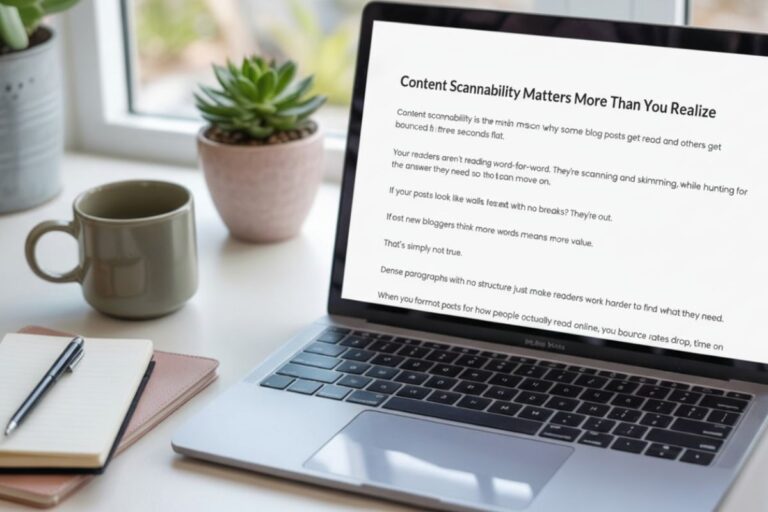
If people land on your post and immediately bounce because it’s a wall of text with no breaks, Google notices. High bounce rates hurt your rankings.
Readability means short paragraphs (like I’m doing here), clear subheadings, simple language, and logical flow.
Write at about an 8th-grade reading level for most topics. That doesn’t mean dumbing things down. It means being clear instead of needlessly complex.
Break up long paragraphs. Use shorter sentences mixed with longer ones. Include white space so your content doesn’t feel overwhelming.
Typography matters too. Use readable fonts. Enough contrast between text and background. Font sizes big enough to read comfortably.
Think about how your target audience actually reads online. Most people scan first, then read if something catches their attention. Make scanning easy with descriptive subheadings and bold key points sparingly.
How Do Outbound Links Affect Your SEO?
Outbound links are links from your blog to other websites. Some bloggers are scared to link out, thinking it’ll hurt their rankings or send readers away.
That’s wrong.
Strategic outbound links to high-quality, relevant sources actually help your SEO. They show Google that you’re connecting your content to the broader web and backing up your information with credible sources.
Link to original research, authoritative sites in your niche, or helpful resources that genuinely add value for your readers.
Use nofollow links for paid partnerships or user-generated content. Regular dofollow links pass link authority, which is fine when you’re linking to quality sites.
Just don’t overdo it. A few relevant outbound links per post is plenty. Your goal is helping readers, not creating a link farm.

Should You Add Social Sharing Buttons?
Social sharing buttons (those little icons that let people share your post on Facebook, Pinterest, etc.) don’t directly impact SEO. Google doesn’t use social signals as a ranking factor.
But they can indirectly help. When people share your content, more people see it. More views can mean more backlinks eventually, which definitely helps SEO.
Keep your social sharing buttons simple. Don’t clutter your posts with 15 different sharing options. Pick the platforms your audience actually uses.
For content distribution, figure out where your readers hang out. If your audience is on Pinterest, optimize your images for pinning. If they’re on LinkedIn, make sure your posts are easily shareable there.
The key is making sharing easy without being annoying. Don’t force popup overlays begging for shares. Just have clean, visible options and let readers decide.
What SEO Tools Should You Actually Use?
Look, there are approximately 8 million SEO tools out there. Most are overkill when you’re starting out.
Here are the free ones I actually use:
Google Search Console shows how your site performs in search. What queries bring people to your site. What pages rank where. Any technical errors Google finds. This is essential.
Google Analytics tracks who visits your blog, how long they stay, and what they read. Understanding user behavior helps you create better content.
For on-page optimization, free WordPress plugins like Yoast or RankMath guide you through the basics. They’re not perfect, but they catch obvious mistakes.
Answer the Public is great for finding related questions people ask around your topic.
Do a site audit periodically to catch broken links, missing alt text, or other issues. Many SEO plugins include basic audit features.
Don’t get sucked into buying expensive tools until you’re consistently publishing and seeing decent traffic. Master the free options first.
How Often Should You Update Your Content?
Content updates are crucial for maintaining rankings over time. Google likes fresh, accurate information.
I go back through my older posts every 6-12 months and update them. Add new information, fix outdated references, improve the SEO, strengthen the content quality.
This content refresh strategy works really well. Posts I’ve updated often jump back up in rankings or finally break through to page one.
Mark your calendar for content audits. Look at your analytics. Which posts get traffic but have high bounce rates? Update those to be more helpful. Which posts used to rank well but dropped? Refresh them.
When you update a post, change the publish date at the top. This signals to Google and readers that the information is current.
Some of my best-performing posts are three years old but updated regularly. That’s the power of evergreen content with consistent maintenance.
Also think about keyword updates. Search trends change. People might be searching for the same information using different terms than they did two years ago.
How Does AI Change Your SEO Strategy?
Okay, this is big. AI search is changing everything, and we need to talk about it.
Google’s AI Overviews now appear at the top of many searches. ChatGPT has a search feature. Perplexity and other AI tools are answering questions directly without sending people to websites.
Does this mean traditional SEO is dead?
Nope. But it means we need to think differently.
AI tools pull information from well-optimized content that answers questions clearly and comprehensively. So all the on-page SEO stuff we’ve covered? Still matters.
But now you also want to structure your content to be easily parsed by AI. That means:
- Clear, direct answers to specific questions
- Well-structured header tags that organize information logically
- Conversational language that matches how people actually ask questions
- Comprehensive coverage of topics (not shallow content)
Think of it this way: you’re optimizing for both traditional search engines AND AI tools that might use your content to answer questions.
The good news? These goals align pretty well. Content that’s genuinely helpful, well-organized, and clearly written works for both.
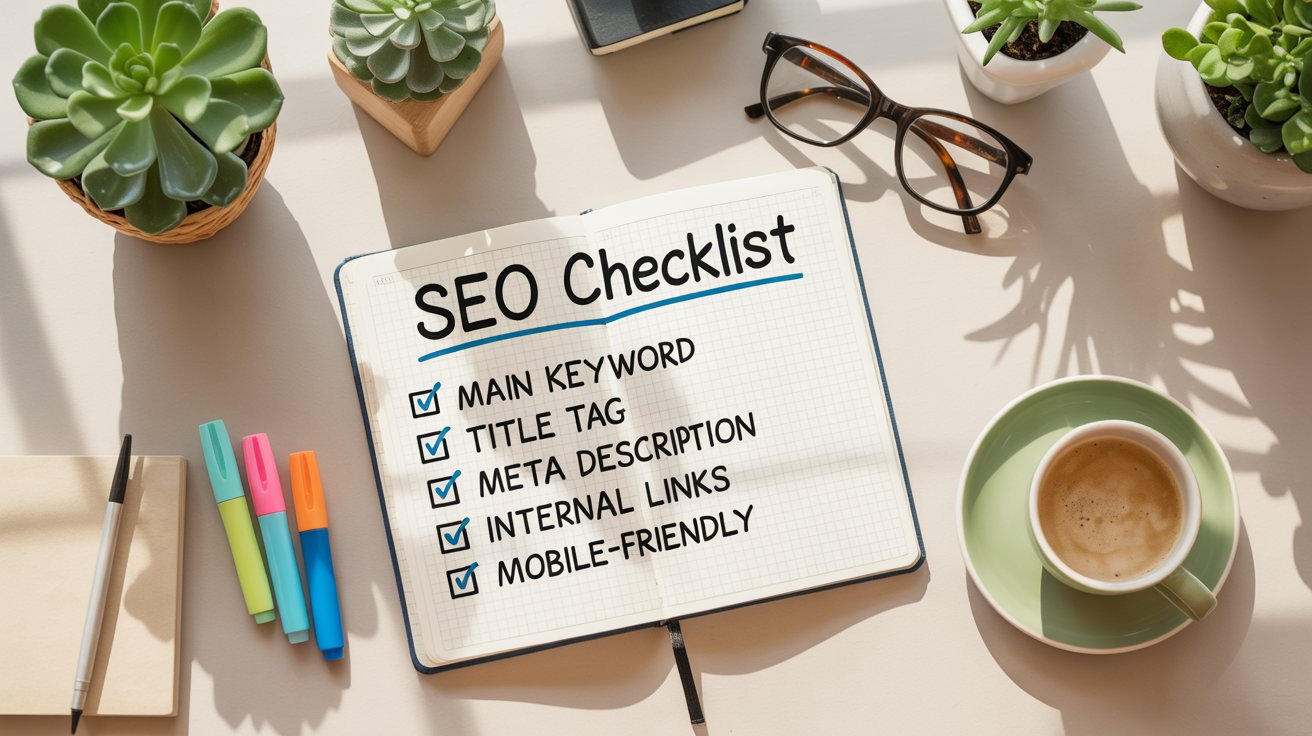
What’s Your Actual On-Page SEO Checklist?
Alright, let’s pull this all together into something you can actually use.
Before you hit publish on any blog post:
- Main keyword appears in your title tag, first paragraph, at least one H2, and final paragraph
- Title tag under 60 characters, compelling, includes keyword
- Meta description under 160 characters, includes keyword, makes people want to click
- URL is short, clean, includes main keyword
- H1 tag is your post title (only one H1)
- H2 and H3 tags organize your content logically and include keyword variations
- Images compressed to under 200KB each
- Every image has descriptive alt text Internal links to 2-5 related posts on your blog
- At least one outbound link to a quality source when relevant
- Content is scannable with short paragraphs and clear subheadings
- Post is at least 800 words (longer if the topic demands it)
- Mobile-friendly and loads in under 3 seconds
- No broken links or errors
That’s your baseline on-page SEO checklist. Not sexy, but it works.
Ready to Actually Get Traffic to Your Blog?
Here’s the thing about on-page SEO: it feels tedious when you’re doing it. But three months from now, when you’re getting steady organic traffic from Google, you’ll be so glad you took the time to do it right.
I wasted six months not understanding this stuff. Don’t make the same mistake.
Start with one post. Go through this checklist. See how it performs. Then optimize your next post. And the next.
After a while, this stuff becomes second nature. You won’t need a checklist because you’ll automatically structure your posts for search engines and readers.
If you’re feeling overwhelmed, go back and read my SEO for beginners guide. That covers the fundamentals before you dive into the technical stuff. Or check out keyword research for new bloggers if that part’s still fuzzy.
The on-page SEO checklist for blog posts isn’t magic. It’s a system. Follow the system consistently, and Google will start sending readers your way.
Now get out there and optimize something.
Frequently Asked Questions
How long does it take to see results from on-page SEO? Most blogs see initial ranking improvements within 2-4 months of implementing proper on-page SEO. Full results often take 6-12 months as Google indexes and evaluates your content over time.
Do I need to optimize every single blog post? Yes, every post deserves basic optimization. However, focus your deepest optimization efforts on posts targeting your most important keywords or topics most relevant to your audience.
Can I over-optimize my content? Absolutely. Keyword stuffing, unnatural writing, and over-optimization can hurt your rankings. Write naturally for humans first, then add strategic SEO elements where they fit smoothly.
Should I hire someone to do my SEO? Not when you’re starting out. Learn the basics yourself first. Once you’re consistently publishing and seeing some traffic, then you might consider professional help for advanced optimization.
How do I know if my on-page SEO is working? Check Google Search Console for impressions and clicks. Track your rankings for target keywords. Monitor your overall organic traffic in Google Analytics. Improvement in any of these signals success.
What’s the most important on-page SEO element? If I had to pick one, it’s content quality combined with keyword optimization. Everything else supports these fundamentals. Write genuinely helpful content that answers questions people are actually searching for.