Content Scannability Matters More Than You Realize
Content scannability is the main reason why some blog posts get read and others get bounced in three seconds flat.
Your readers aren’t reading word-for-word. They’re scanning and skimming, while hunting for the answer they need so they can move on.
If your posts look like walls of text with no breaks? They’re out.
Most new bloggers think more words means more value.
That’s simply not true.
Dense paragraphs with no structure just make readers work harder to find what they need.
When you format posts for how people actually read online, you bounce rates drop, time on page goes up and you will see that people actually start engaging.
What Makes Content Easy to Scan?
A good blog layout means readers can find what they need fast.
They scan headings to see what’s covered. They check first sentences of paragraphs. They look for lists that highlight key points.
When your content structure supports this natural behavior, readers can assess your post in 15 seconds and know if it’s worth their time.
Bad scannability? Paragraph after paragraph with no breaks, no headings, no visual cues. Readers see that and bounce immediately.
Your user experience depends on how easily people can navigate your content.

Why Do People Scan Instead of Read?
The reason people scan instead of read is that nobody has time to read every word anymore.
Your readers are busy. They may be reading while waiting somewhere or just looking for quick answers. They want information fast without wading through everything else.
This isn’t about short attention spans. It’s about information overload.
Reading online is very different than reading a book. Our brains scan for relevant bits and filter out the rest. If your blog fights this natural behavior, you lose readers.
Accept that people scan first and read second. Then format accordingly.
How Do Subheadings Help Readers?
Subheadings are road signs that tell readers what’s ahead.
I mostly format mine as questions because that’s how people search.
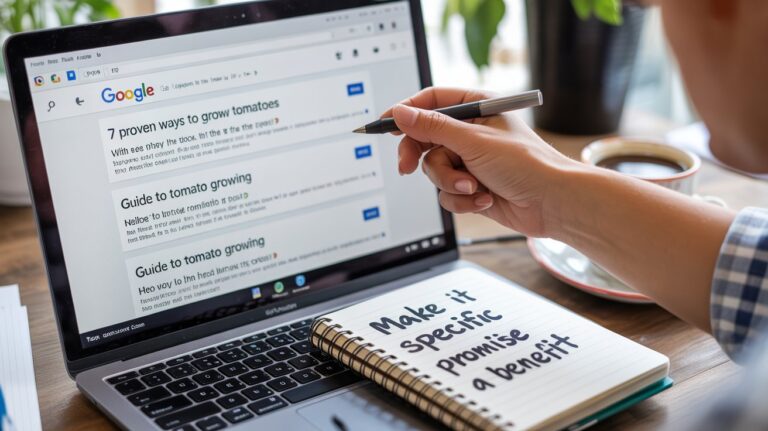
Someone Googling “how to make blog readable” sees “How Do Subheadings Help Readers?” and know they’re in the right spot.
This helps SEO optimization too. Search engines use headings to understand your content.
Be sure to make headings descriptive. “Writing Tips” is vague. “How Do Subheadings Help Readers?” tells people exactly what that section covers.
Why Does White Space Matter?
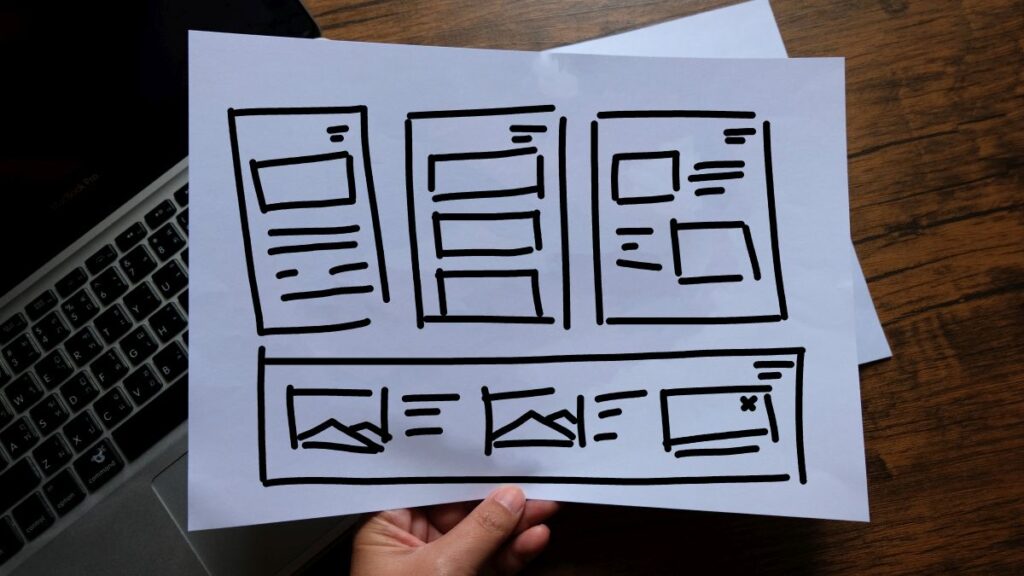
White space is breathing room for your content.
Dense text with no breaks creates visual panic. Readers see one massive block of words and their brain goes “nope” and they bounce.
I keep paragraphs short. Usually 2-4 sentences, if that. Between paragraphs, there’s space. Around headings and images, more space.
The layout feels approachable instead of overwhelming.
This matters especially on mobile where most people read. Dense text on small screens is painful.
White space guides the eye naturally down the page and makes reading actually pleasant.
When Should You Use Bullet Points?
Bullet points make information instantly easier to process.
Lists work great for:
- Steps in a process (use numbered lists)
- Related items without specific order (use bullets)
- Key takeaways you want remembered
- Examples or options to consider
Don’t overdo it though. If your entire post is bullets, you’ve lost the narrative flow.
Balance lists with paragraphs that explain and connect ideas. Lists highlight. Paragraphs explain.
What About Paragraph Length?
Long paragraphs kill momentum.
Online readers struggle with paragraphs longer than five lines on desktop. On mobile, three lines max.
Each paragraph should cover one thought, then move on. This creates natural content flow.
Breaking content into shorter chunks creates more white space, which improves visual hierarchy and readability.
If your paragraphs run longer than 75 words, break them up. Your engagement will improve.
How Does Typography Affect Readability?
Font choices impact whether people can actually read comfortably.
Body text should be at least 16px, ideally 18px. Smaller strains eyes, especially for readers who need glasses.
Line spacing should be about 1.5 times your font size. Too tight and lines blur. Too loose and eyes lose their place.
Use clean fonts. Sans-serif like Arial or Open Sans works well for body text.
Never use light gray text on white backgrounds. High contrast improves legibility significantly.
Your on-page SEO won’t matter if people can’t read your content.

Do Images Help With Scanning?
Images create natural stopping points for scanning eyes.
Use them to illustrate concepts, provide examples, or break up text. Every image should relate to your content.
Image SEO and alt text matter too. Describe images clearly for search engines and visually impaired readers.
Place images near relevant text sections. This supports natural scanning.
Compress images before uploading. Page speed affects user experience and rankings.
How Does Scannability Affect SEO?
Content scannability directly improves SEO performance.
When readers stay longer and engage more, search engines interpret that as quality content. Scannable posts get better engagement, which improves rankings.
Your keyword research and understanding of search intent matter, but so does formatting.
Headings help search engines understand content structure. Meta descriptions work like scannable summaries in search results.
Better scannability means better user signals, which leads to better rankings.
What Changes Improve Content Scannability Right Now?
Break up paragraphs longer than five lines.
Add descriptive subheadings every 200-300 words. Format them as questions when possible.
Use lists for related items or key takeaways.
Increase white space between paragraphs and around headings.
Check font size and bump it to at least 16px.
Add internal links to connect related content.
Review posts on mobile. That’s where most people read.
These small changes create real results in engagement.

Why Does Content Scannability Actually Matter?
Content scannability transforms how readers interact with your blog.
Better scannability improves user experience, boosts SEO, increases engagement, and builds trust. These changes compound to create real growth.
The improvements aren’t complicated. Shorter paragraphs. Clear subheadings. Strategic white space. Smart use of lists.
Small formatting changes create significant results.
Stop writing walls of text. Start structuring posts for how humans actually read online.
Your readers will stay longer and engage more when your blog makes information easy to find and use through better content scannability.
Frequently Asked Questions
What is content scannability in blogging? Content scannability is how easily readers can find and use information in your posts by scanning headings, lists, and key sections without reading every word.
Why does scannability matter for engagement? Scannable content reduces bounce rates and increases time on page because readers quickly find what they need, improving user experience.
How short should blog paragraphs be? Keep paragraphs to 2-4 sentences or about 75 words maximum for optimal online readability, especially on mobile.
What’s the best font size for blogs? Use at least 16px for body text, preferably 18px, for comfortable reading for all audiences.
How often should I use subheadings? Add descriptive subheadings every 200-300 words to break up content and guide readers effectively.
Do bullet points improve engagement? Yes, bullet points make information easier to scan quickly, keeping readers engaged longer and reducing bounce rates.