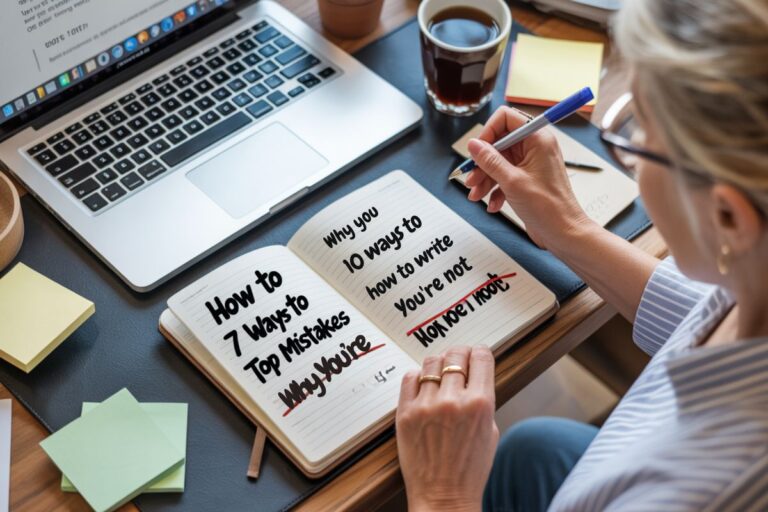
How Tutorial Writing Can Turn Your Knowledge Into Helpful Blog Content
Tutorial writing turns your decades of experience into step-by-step guides that people can actually follow and learn from.
You’ve spent years mastering skills that people are Googling right now. Maybe you can troubleshoot Excel formulas in your sleep.
Maybe you know seventeen ways to propagate succulents. Maybe you’ve figured out how to organize digital photos without losing your mind.
That knowledge is a goldmine for content creation.
Here’s where most new bloggers freeze up. They think tutorials need to be these perfectly polished, professional productions with fancy graphics and studio lighting.
Wrong.
The best how-to guides feel like you’re learning from a friend who actually knows their stuff.
Someone who remembers what it’s like to be confused.
Someone who explains things clearly without making you feel stupid.
What Makes Tutorial Writing Different?
Regular blog posts can wander. Share stories, explore ideas, take detours.
Tutorials are laser-focused on getting someone from point A to point B.
Think of it like giving directions. You wouldn’t say “turn left near where that coffee shop used to be.” You’d give clear, specific instructions anyone could follow.
That’s the heart of good writing techniques for instructional content. Clear steps. No assumptions. Real examples people can use.
Every tutorial needs a beginning (here’s what we’re making), middle (here’s how to do it), and end (look what you built). The structure determines whether people finish your tutorial or bounce halfway through.
How Do You Structure a Tutorial People Can Follow?
Start with the outcome, not the process.
Don’t begin with “First, open your browser.” Begin with “By the end of this tutorial, you’ll have a working budget spreadsheet that updates automatically.”
Now they know why they should keep reading. This is basic copywriting for educational content.
Lay out what they’ll need upfront. Tools, materials, accounts. If someone needs a free Canva account, tell them before step 12 when they suddenly can’t continue.
Break your tutorial into numbered steps. Not bullet points. Numbers show progression and make it easy to pick up where someone left off.
Each step should accomplish one thing. “Create your header” is one step. “Format your entire document” is five steps pretending to be one.
Tell people what success looks like at each step. “You should now see a confirmation message” or “Your screen should look like this.” People need checkpoints.
Your blog post structure matters for tutorials even more than regular posts because confused readers leave.

What Role Do Screenshots Play?
Visual content is your secret weapon.
When you’re explaining where to click in a confusing interface, a screenshot with a big red arrow beats three paragraphs.
Take more than you think you need. You can’t go back and recreate that perfect moment when everything was visible.
Annotate them. Add arrows, circles, text boxes. Free tools like Snagit or PowerPoint work. Make it obvious where to look.
Crop tight. Show the relevant part of the screen, not your entire desktop with seventeen tabs open.
Pay attention to image SEO and alt text optimization. Describe what the screenshot shows so Google understands it and screen readers can explain it to visually impaired users.
Pro tip for content editing: Take screenshots on a clean screen. Close unnecessary windows, hide your cluttered bookmarks bar.
This makes everything look more professional without actually being harder.
Should You Add Video to Your Tutorials?
Video scares a lot of new bloggers. “I don’t have a ring light!” “My voice sounds weird!” “I don’t know how to edit!”
Your smartphone and natural lighting work fine for blogging for beginners.
Video tutorials don’t replace written ones. They complement them.
Some people learn better by watching.
Some prefer reading.
Give them both options and you’ve doubled your audience engagement.
Simple screen recordings work great. Keep videos short. Break longer tutorials into multiple 3-5 minute videos rather than one 20-minute marathon.
Always provide timestamps. “0:45 – Open the settings menu” helps people jump to exactly what they need.
You don’t need to become a YouTube star. You need to clearly show the steps while explaining what you’re doing.

How Can AI Tools Speed This Up?
AI isn’t replacing tutorial writers. It’s making the tedious parts faster so you can focus on your expertise.
Creating tutorials used to take hours. Screenshots, annotations, writing descriptions, checking for mistakes.
AI tools cut that time dramatically, which matters for content marketing when you’re trying to build a library of helpful resources.
Scribe watches what you do on your screen and writes the tutorial for you. Install the browser extension, hit record, go through your process once, and stop. It captures every click, generates instructions, and annotates screenshots automatically.
The free version handles most of what bloggers need. Five minutes of recording becomes a professional tutorial you can export or share immediately.
Wizardshot does the same thing but stays free forever. Record your screen, get an automatic tutorial, export as PDF or DOC. They’re betting you’ll eventually want their other products, so the tutorial creator stays free.
Both of these blogging tools work on any website or software, which makes them incredibly versatile for step-by-step instructions.
Guidde creates both video AND written tutorials simultaneously from one screen recording. Pick from 200+ AI voices to narrate if you hate how your voice sounds. The AI writes the script, adds callouts and highlights, and spits out a polished tutorial in about three minutes.
This is where writing style meets automation in a way that actually works.
Loom with the AI upgrade automatically generates titles, summaries, and chapters for your videos. The AI strips out your “ums” and awkward pauses. Turns casual screen recordings into something that looks intentional.
The free version of Loom works fine. The AI features cost extra but save enough time that they pay for themselves if you’re creating tutorials regularly.
AI can also draft your outline when you’re staring at a blank page. Tell it what you’re teaching, get a structure back, then rearrange based on how the process actually works.
It can write terrible first drafts of your intro and conclusion. You’ll rewrite them completely, but at least you’ve got something to react against.
Where AI helps with content editing: catching inconsistencies after you’ve been staring at your tutorial for hours and your brain has stopped working. Paste it in, ask if the instructions make sense. It’ll spot things you’re too fried to notice.
AI handles the mechanical stuff. You handle the expertise, the knowing-what-confuses-people part, the explaining-things-clearly part.
What Mistakes Should You Avoid?
The biggest mistake? Assuming people know more than they do.
Steps that seem obvious to you are completely foreign to beginners. Always explain one level deeper than you think necessary.
Don’t skip the “why.” People learn better when they understand the reasoning. “Click save so your changes don’t get lost if the browser crashes” works better than just “Click the save button.”
Avoid jargon without definitions. If you must use technical terms, explain them the first time. Your tone and voice matter here because you want people to feel supported, not stupid.
Watch out for dead ends. If a step could go wrong, say so. “If you see an error message, here’s what to do” prevents frustrated readers from giving up.
Don’t forget your call to action. After walking someone through your tutorial, tell them what to do next.
Understanding search intent helps because tutorial searchers want solutions, not theory.

How Does Tutorial Writing Fit Your Content Strategy?
Tutorials bring in search traffic because people actively look for step-by-step instructions. “How to” is one of the most-searched phrases on the internet.
They establish your expertise. When someone successfully completes your tutorial, you’ve proven you know your stuff. That builds trust faster than any “about me” page.
Tutorials are perfect for monetizing blogs. They naturally lead to product recommendations.
If you’re teaching someone to organize photos, recommending backup software makes sense. That’s affiliate marketing that actually helps people.
Your tutorials work together. Write one about basics, another about intermediate techniques, a third about advanced strategies. Link them together and you’ve got a complete learning path.
This is where topic clusters and content hubs become powerful for SEO optimization and content marketing.
How Do You Write Tutorials That Get Found?
Start with proper keyword research. What exact phrases do people type when they need to learn your skill?
Your headline writing matters. “How to Create a Budget Spreadsheet in Excel for Beginners” beats “Spreadsheet Tips” every time. Be specific.
Follow on-page SEO basics: use your main keyword in the title, first paragraph, a heading, and conclusion. Don’t stuff it awkwardly everywhere.
Break up content with clear headings. Use question-based subheadings when possible. They match how people search.
Don’t forget internal linking. Connect your tutorial to related posts on your site.
Most blogging platforms like WordPress make this easy with built-in linking tools.
Ready to Share What You Know?
Tutorial writing isn’t about being the world’s foremost expert. It’s about being a few steps ahead of someone else and willing to show them the path.
You’ve got decades of knowledge that people need. Skills you take for granted are mysteries to someone else.
Start with one tutorial. Pick something you could teach in your sleep. Write it clearly, add helpful screenshots or video, break it into logical steps.
Then publish it and move on to the next one.
Each tutorial you create is another way for people to find you, learn from you, and trust you.
Now go write that tutorial. Someone’s searching for exactly what you know right now.
Frequently Asked Questions
How long should a tutorial blog post be?
Most effective tutorials run 1,000-2,000 words depending on complexity. Focus on clarity over length.
Do I need professional equipment to create tutorial content?
No. A smartphone camera, free screen recording software, and natural lighting work fine. Your clear instructions matter more than production quality.
How do I know if my tutorial is too complicated?
Ask someone unfamiliar with the topic to follow it. If they get confused, simplify.
Are AI tutorial tools worth trying?
The free versions of tools like Scribe and Wizardshot can save hours. Try them once and see if they fit your process.
How often should I publish tutorial content?
Quality over quantity. One excellent tutorial monthly beats four rushed ones.